
Manually creating quotes, proposals, contracts, and compliance reports from Salesforce data is a significant operational bottleneck for many enterprises. This repetitive, error-prone work consumes valuable employee time, slows down sales cycles, and introduces risks. The core problem is the disconnect between your rich, structured Salesforce data and the polished, customer-facing documents your business relies on. This is precisely the challenge that Salesforce document generation apps are designed to solve.
This guide provides a comprehensive, in-depth comparison of the best Salesforce document generation apps available today. We move beyond surface-level feature lists to offer a practical analysis tailored for IT, integration, and operations teams. For each platform, we examine critical factors such as template capabilities, data source integration, bulk generation performance, security protocols, and deployment options.
Our goal is to equip you with the insights needed to select the right tool for your specific use case, whether you're in financial services, real estate, or life sciences. We'll explore how these applications serve as a cornerstone for broader efficiency gains.
EDocGen positions itself as a premier, enterprise-grade solution and a standout choice among the best Salesforce document generation apps. It is engineered for organizations that demand high-volume, governed document automation without sacrificing business-user agility. The platform excels at transforming complex structured and semi-structured data from multiple sources, including Salesforce, into polished, data-driven documents.

Unlike many tools that focus solely on simple mail merges, EDocGen is built for complexity. Its powerful, no-code template editor supports deeply nested data structures (up to 8-level JSON/XML), conditional logic, loops, and dynamic calculations. This capability allows business users to create and manage sophisticated templates for Word, PowerPoint, Excel, and PDF formats without relying on developer intervention, a key advantage for accelerating time-to-market.
To ensure our platform aligns with your technical requirements, we invite you to start a 7-day free trial. Explore the interface, generate your first documents, and see firsthand how seamlessly our solution integrates into your daily operations.
EDocGen's architecture is designed for performance and scalability, making it ideal for industries like finance, insurance, and life sciences where speed and compliance are critical.
· High-Volume Batch Processing: For a bank generating thousands of personalized loan statements or an insurance company issuing policy documents, EDocGen’s engine can produce documents in minutes. Its scheduler-driven automation handles recurring tasks, such as end-of-month reporting, with complete autonomy.
· Complex Contract & Proposal Generation: The platform can merge data from both Salesforce and an external database (like Oracle) into a single proposal. This multi-source capability is crucial for creating comprehensive documents that require information from disparate enterprise systems.
· Centralized Template Governance: IT and compliance teams can maintain a central repository of approved, on-brand templates. This ensures that while business teams have the flexibility to generate documents on-demand, all outputs adhere to strict corporate and regulatory standards. The platform’s robust security, including AES-256 encryption and flexible deployment options (cloud or on-premises), provides further peace of mind.
EDocGen provides a native Salesforce integration and a well-documented REST API, allowing for deep embedding into custom workflows. For organizations looking to see concrete examples, EDocGen offers a detailed overview of its Salesforce document generation capabilities on its website.
The platform's pricing model is enterprise-focused and requires contacting their sales team for a quote, which may be a consideration for smaller businesses seeking transparent, off-the-shelf pricing. However, for medium-to-large organizations, EDocGen represents a powerful, secure, and highly scalable solution for mastering complex document automation challenges.
Website: https://www.edocgen.com
While not a document generation app itself, the Salesforce AppExchange is the essential starting point for any search. It serves as Salesforce’s official, centralized marketplace where you can discover, compare, and install hundreds of third-party applications, including the best Salesforce document generation apps. Its primary value lies in its rigorous security review process; every app listed has been vetted by Salesforce, providing a baseline of trust and reliability for enterprise IT teams.
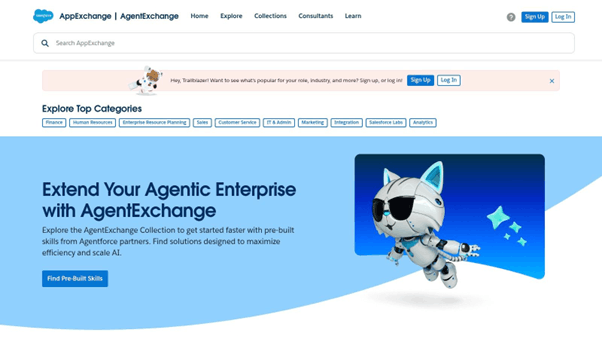
Many robust solutions available on the Salesforce AppExchange, including leading document generation tools, rely on seamless CRM integration to enhance functionality and streamline workflows. The platform simplifies deployment with one-click installs to either Sandbox or Production environments, and listings provide crucial details like supported Salesforce editions, version histories, and peer-reviewed ratings. This helps teams quickly assess compatibility and real-world performance. You can explore a high-level overview of CRM document automation benefits to better understand the capabilities these apps offer.
· Use the "Document Generation" Filter: To narrow your search effectively, use the dedicated category filter. This prevents irrelevant apps from cluttering your results.
· Check the "Highlights" Tab: This section on an app's listing often contains critical information regarding pricing models (e.g., per-user vs. per-document), which may not be immediately obvious.
· Review Recent Reviews: Sort reviews by "Most Recent" to gauge current user satisfaction and see how the vendor handles recent feature updates or support issues.
Conga Composer is an enterprise-grade document generation platform deeply rooted in the Salesforce ecosystem. It excels at automating the creation of complex, data-rich documents directly from Salesforce records, supporting a wide range of formats including Word, PowerPoint, Excel, PDF, and HTML emails. The platform is designed for scalability, allowing teams to generate documents with a single button-click or through fully automated, scheduled batch processes.
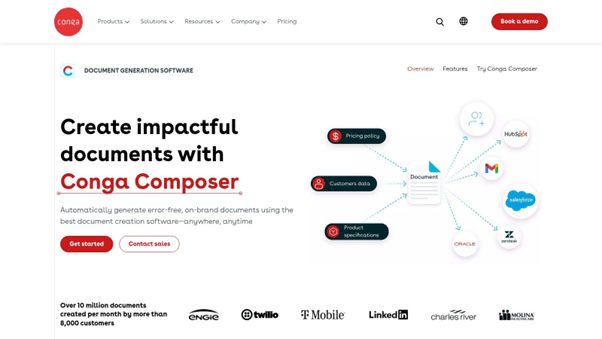
Its mature toolset, including the Template Builder and Solution Manager, provides administrators with granular control over data merging from SOQL queries or reports. This makes it one of the best Salesforce document generation apps for organizations with intricate data requirements. Delivery is also highly flexible, with options to email documents, save them back to Salesforce, send them to an external document management system, or hand them off for e-signature. You can explore the core concepts of this technology to better understand what document generation is and how it fits into your workflow. However, users should note that advanced automation capabilities, like triggered or batch generation, are often licensed separately from the core product.
· Utilize the Solution Manager: For repeatable processes, build and manage "solutions" within the Conga Solution Manager. This pre-configures data sources, templates, and delivery options for end-users, simplifying their experience.
· Leverage SOQL for Complex Data: While standard Salesforce reports are supported, using SOQL queries as a data source gives you precise control over pulling related data from multiple objects into a single document.
· Monitor the Conga Status Page: Conga maintains a public status page. For mission-critical document processes, it’s wise to subscribe to updates to stay informed about any service incidents or scheduled maintenance.
Nintex DocGen for Salesforce positions itself as a powerful, no-code document generation solution deeply embedded within the Salesforce ecosystem. It is managed and updated via a standard managed package, which ensures a consistent and predictable release cycle for IT teams to govern. The platform is designed for administrators, allowing them to create and manage sophisticated templates for Word, Excel, PowerPoint, and PDF formats without writing any code.
A key differentiator is its robust integration with Salesforce automation tools, offering native actions for both Flow and Apex. This allows for seamless incorporation into complex business processes, from automated quote generation to compliance document assembly. The recent addition of an Agentforce connector is a forward-looking feature, enabling document generation to be triggered by Salesforce's AI agents. While the admin-friendly Lightning Designer simplifies template creation, organizations should note that some advanced add-ons may require higher-tier licensing. The frequent update schedule, while beneficial for feature enhancements, necessitates a disciplined governance and testing strategy to manage changes effectively.
· Explore the Lightning Designer: Leverage the no-code template builder to empower business users and reduce reliance on developer resources for template maintenance.
· Review Release Notes: Stay informed about the frequent package updates. The detailed release notes are crucial for understanding new features and planning for regression testing.
· Evaluate Add-Ons Early: If you anticipate needing specialized features like advanced data integrations or electronic signatures, assess the licensing requirements for these add-ons during your initial evaluation to forecast total cost of ownership accurately.
S-Docs stands out as a 100% native Salesforce document generation and e-signature solution, making it a top choice for organizations prioritizing data security and compliance. Because it operates entirely within the Salesforce platform as a managed package, no customer data is ever transmitted to external servers for processing. This native architecture ensures that all document generation activities adhere strictly to Salesforce’s robust security protocols, which is a critical requirement for highly regulated industries like finance, healthcare, and government.
The platform supports multi-format output (PDF, Word, Excel) and works seamlessly with both standard and custom objects, including complex data relationships. Its primary advantage lies in its security-first approach; however, this can also mean that extremely high-volume batch jobs might be constrained by Salesforce governor limits, unlike apps that use external processing. S-Docs offers transparent pricing on its website, including a free edition, making it one of the more accessible yet powerful best salesforce document generation apps for teams with strict data residency needs.
· Start with the Free Edition: Leverage the permanently free, full-featured version to validate your use case and confirm it meets your basic template and generation needs before committing to a paid tier.
· Evaluate Add-Ons Separately: Features like advanced automation and batch processing are often part of separate packages. Assess these costs independently if your use case requires high-volume, scheduled generation.
· Review Your Salesforce Limits: Since S-Docs is native, confirm your org’s API call and processing limits are sufficient for your anticipated document generation volume to avoid performance bottlenecks.
For organizations already invested in the DocuSign ecosystem, DocuSign Gen for Salesforce is a logical and powerful extension. This native app excels at creating a seamless prepare-to-sign workflow, allowing users to generate professional Word or PDF documents directly within Salesforce and then seamlessly pass them to DocuSign eSignature. Its strength lies in its ability to leverage existing Salesforce data, including complex objects from CPQ and Revenue Cloud, to populate templates.
The platform is designed for efficiency, supporting conditional content rules that dynamically include or exclude text blocks, images, or entire pages based on Salesforce field values. This is ideal for generating tailored contracts, quotes, or invoices. Batch and scheduled generation capabilities further enhance productivity, enabling automated invoice runs or proposal creation without manual intervention. The guided setup process and available trial options make initial adoption straightforward for administrators.
· Confirm Your eSignature Plan: DocuSign Gen is an add-on and requires a compatible DocuSign eSignature for Salesforce plan. Verify your current subscription or factor this into the total cost of ownership before committing.
· Leverage Guided Setup: Use the in-app guided setup wizards for initial template configuration. They provide a clear, step-by-step path for connecting Salesforce data and adding signature tags, significantly reducing implementation time.
· Consolidate Legacy Packages: If your organisation has older DocuSign for Salesforce packages, follow the current AppExchange listing guidance to consolidate and upgrade. This ensures you are using the most secure and feature-rich version.
Formstack Documents offers a comprehensive solution for Salesforce-integrated document generation, emphasizing end-to-end automation through its suite of products. Its core strength lies in point-and-click data mapping and conditional routing, allowing teams to create complex, multi-document workflows without writing code. This makes it an ideal choice for organizations already invested in or looking to standardize on the Formstack platform for forms, document generation, and e-signatures.
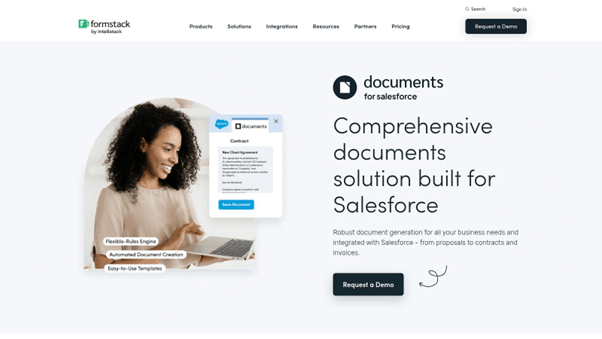
The platform enables users to map data from any standard or custom Salesforce object directly into templates, using logic to dynamically assemble the final output. When paired with Formstack Sign and Forms, it creates a seamless flow from data collection to signature, making it one of the best Salesforce document generation apps for complete process automation. Organizations can explore the benefits of this approach by learning more about document workflow automation to understand how integrated tools streamline operations. While powerful, the suite bundling can be overkill if only document generation is needed.
· Clarify Feature Tiers: Before committing, confirm which specific features depend on certain pricing plans or require the "native" vs. "classic" version of the app to avoid surprises.
· Assess Suite Value: If your only need is document generation, compare the cost against standalone tools. The primary value is unlocked when utilizing the entire Formstack suite (Forms, Documents, Sign).
· Use the How-To Guides: Formstack provides solid documentation for installation, permissions setup, and data mapping. Leverage these resources to ensure a smooth initial configuration.
Titan Docs is a no-code document generation platform designed for deep, bidirectional integration with Salesforce. It differentiates itself by offering a familiar Microsoft Office environment for template creation; users can build sophisticated, dynamic templates directly within Word using a dedicated add-in. This approach significantly reduces the learning curve for business users and allows for rapid deployment of complex documents like contracts, proposals, and invoices.
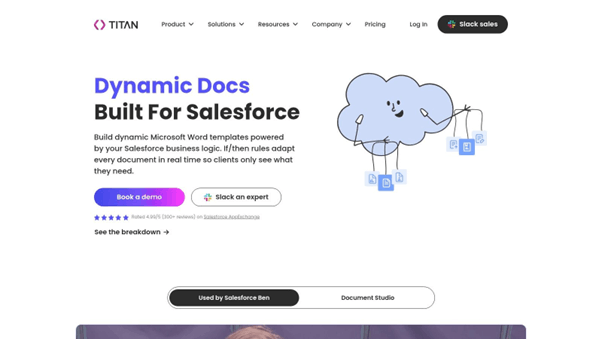
The platform’s strength lies in its powerful logic capabilities, supporting conditional rules, loops, and calculations to handle intricate business requirements without custom code. As part of the broader Titan digital experience platform, it natively connects to e-signature, web forms, and approval workflows, offering a unified solution for end-to-end document processes. This tight integration makes it a strong contender among the best Salesforce document generation apps for organizations looking to consolidate their tech stack. However, the pricing model is not publicly listed and requires direct engagement with their sales team for a quote, which can be a hurdle for initial budget planning.
· Utilize the Microsoft Word Add-in: The fastest way to build templates is by leveraging the native Word add-in. This allows your team to use existing skills and author documents in a familiar interface.
· Explore Titan Academy: Take advantage of their extensive free training resources. Titan Academy provides detailed video tutorials and guides that cover everything from basic setup to advanced conditional logic.
· Request a Tailored Demo: Since pricing isn't transparent, use the demo to clarify your exact needs (e.g., number of users, document volume, required integrations) to get an accurate quote and avoid feature bloat.
PDF Butler is a Salesforce-native platform built for high-performance, end-to-end document automation. It positions itself as a solution for organizations that require speed and scalability, especially for batch processing and complex template management. Its modular design allows users to combine document generation, dynamic forms, digital signatures, and AI-assisted creation into a cohesive workflow, making it a strong contender among the best Salesforce document generation apps for enterprises with heavy processing needs.
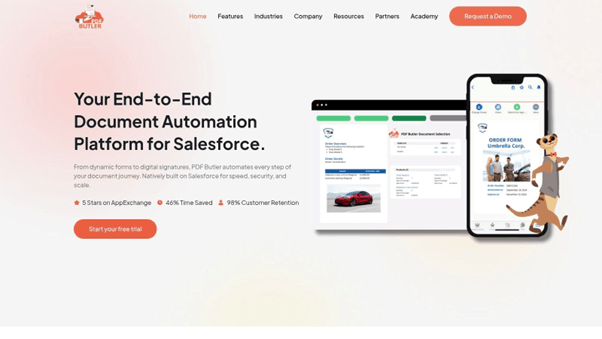
The platform’s architecture focuses on performance, security, and data retention, which are critical for regulated industries like finance and life sciences. A key differentiator is its powerful batch generation and distribution capability, which can handle massive volumes without compromising speed. It also provides practical AI features designed to accelerate template configuration and data mapping, reducing the manual effort for complex documents. Integrations with external systems like SharePoint and Google Drive further extend its utility beyond the core Salesforce environment.
· Assess Modular Needs: Before committing, evaluate which of PDF Butler's modules (e.g., Doc-Gen, Forms, Batch) are essential for your use case to ensure you select the right license.
· Discuss High-Volume Scenarios: If your primary need is batch processing, engage with the vendor directly to discuss your anticipated volume. This can help clarify licensing requirements and ensure the architecture is optimized for your load.
· Explore AI-Assist Features in a Sandbox: Test the AI template creation and data mapping tools in a sandbox environment to quantify the time savings for your specific document complexity.
Documill is a comprehensive document automation suite for Salesforce, segmented into distinct products like Generate, Automate, and Negotiate. This tiered approach allows businesses to select the precise level of functionality they need, from basic document creation to complex, AI-triggered workflows. Its key differentiator is the robust template builder, which supports sophisticated logic, clause libraries for legal and compliance teams, and seamless multi-language capabilities.
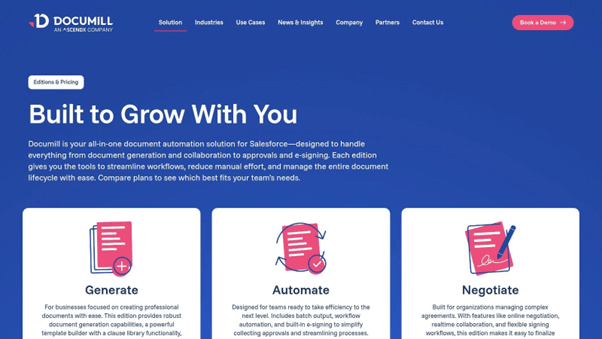
The platform is designed for deep Salesforce integration, offering Office add-ins that allow users to design complex templates directly within familiar applications. For advanced use cases, its Agentforce support enables AI-driven triggers for document creation and signing processes, making it a strong contender for teams focused on hyper-automation. The edition-based pricing is transparent, and detailed administrative guides facilitate a smoother setup and installation process, a clear benefit for IT and integration teams managing deployment.
· Align Product with Need: Carefully review the "Generate" vs. "Automate" editions. If your primary need is user-driven document creation, Generate is sufficient; for fully automated, no-click workflows, the Automate edition is required.
· Leverage Clause Libraries: For legal or regulated industries, build out the clause library early. This standardizes contract language and dramatically accelerates the creation of compliant documents.
· Verify Batch Licensing: If bulk generation is a core requirement, confirm with Documill whether your intended use case requires an additional license to avoid unexpected limitations post-implementation.
Experlogix Document Automation, previously known as Xpertdoc Smart Flows, extends beyond simple document merging into comprehensive, rules-based process automation. Its core strength is a no-code, visual "Smart Flows" designer that allows administrators to build complex, data-driven document workflows. This makes it one of the best Salesforce document generation apps for organizations that need to orchestrate multi-step processes involving user input, conditional logic, and various delivery actions directly from Salesforce data.
The platform excels at handling intricate data models, pulling information from multiple standard or custom Salesforce objects to populate a single document. Its "Smart Forms" feature enables guided data entry from users during the generation process, ensuring all necessary information is captured before the final document is created. All generated documents, attachments, and email communications can be automatically logged back to the relevant Salesforce record, providing a complete audit trail for compliance and governance. This structured, flow-based approach is ideal for regulated industries or complex quoting and contracting scenarios.
· Evaluate the Flow Builder: The "Smart Flow" designer is the central feature. Assess whether its visual, step-by-step logic builder fits your team's technical comfort level for creating and maintaining complex automation rules.
· Assess Smart Forms Use Cases: Consider scenarios where you need to collect additional user input at the point of document creation, such as custom contract clauses or specific delivery instructions. This is a key differentiator.
· Request a Scoped Demo: Since pricing is customized, come prepared with a detailed use case involving complex data relationships or conditional logic to see how the tool handles your specific requirements and get an accurate quote.
PandaDoc’s integration connects its popular sales document platform directly to Salesforce, allowing users to create, send, and track proposals, quotes, and contracts from standard or custom objects. It stands out with a sales-centric user experience that leverages content libraries and real-time document tracking. The integration is ideal for organizations already using PandaDoc that want to embed its functionality within their existing Salesforce workflows.
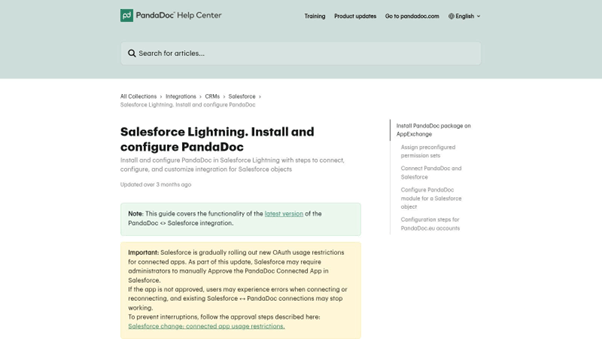
The platform supports a two-way data sync on eligible tiers, meaning document statuses and field data are updated automatically in Salesforce. Automation can be configured to trigger document creation based on Opportunity stage changes, a powerful feature for teams looking to automate their sales proposal process . While the base integration is robust, advanced capabilities like CPQ workflows and full automation are often locked behind higher-tier plans or paid add-ons, which is a key consideration for budget-conscious teams.
· Review Plan-Specific Features: Before installing, carefully verify that your PandaDoc and Salesforce editions support the specific features you need, like two-way sync or CPQ integration, as these are plan-dependent.
· Prepare for OAuth Setup: Some Salesforce orgs require administrators to adjust Connected App and OAuth settings for a smooth installation. Review PandaDoc’s detailed admin guides on permission sets and authentication beforehand.
· Utilize Content Libraries: Encourage your sales team to build out the PandaDoc content library with pre-approved clauses, product descriptions, and case studies to accelerate document creation directly from Salesforce records.
|
Product |
Core formats & data sources |
Template & automation |
Deployment & integrations |
Best for / target audience |
Pricing & USP |
|
EDocGen (Recommended) |
Word, PPT, Excel, PDF, fillable forms; JSON/XML/Excel/DB/CRM |
No‑code tag editor, conditional logic, loops, calculations, bulk, scheduler, AI-assisted Excel parsing |
Cloud‑agnostic or on‑prem, REST API, Salesforce, Zapier, Tray, DBs |
Medium→large enterprises (banking, insurance, real estate, HR) needing high‑volume governed automation |
Enterprise pricing (contact); USP: enterprise scale + business‑user autonomy, multi‑source merges |
|
Salesforce AppExchange |
Marketplace listings for many formats & connectors |
Trials, ratings, security review; find doc‑gen apps |
One‑click install to Sandbox/Prod; vendor managed packages |
Org admins & buyers looking for Salesforce‑native solutions |
Pricing varies by vendor; USP: vetted marketplace & streamlined installs |
|
Conga Composer |
Word, Excel, PPT, PDF, HTML email |
Template Builder, parameterized merges, batch/automated runs |
Salesforce native; email, DMS, e‑sign handoff |
Enterprises with deep Salesforce usage |
Vendor pricing; USP: mature Salesforce heritage & admin tooling |
|
Nintex DocGen for Salesforce |
Word, Excel, PPT, PDF |
Prebuilt templates, clause blocks, Flow/Apex actions, bulk |
Managed package with frequent updates; Agentforce connector |
Salesforce admins seeking no‑code design & automation |
Tiered licensing; USP: Lightning Designer + strong docs/support |
|
S‑Docs |
PDF, Word, Excel + e‑signature |
Native template merges, multi‑object support, email/e‑sign |
100% native Salesforce (no external servers) |
Regulated industries needing data residency and compliance |
Transparent tiers + free edition; USP: data residency & clear pricing |
|
DocuSign Gen for Salesforce |
Word, PDF |
Conditional content, batch/scheduled generation, CPQ support |
Salesforce native with DocuSign eSignature handoff |
Org already using DocuSign eSign |
Requires DocuSign plan; USP: seamless prepare→sign→store workflow |
|
Formstack Documents for Salesforce |
PDF/Word/Excel via templates |
Point‑and‑click mappings, data routing, conditional workflows |
Integrates with Formstack Forms/Sign and external systems |
Teams standardizing on Formstack suite |
Suite pricing; USP: easy mapping + suite bundling |
|
Titan Docs |
Word/Office templates, PDF |
Word add‑in template design, conditional logic, loops, bulk |
Salesforce + Office add‑ins; external storage (Box/Drive/OneDrive) |
Teams wanting in‑Office authoring and training resources |
Contact for pricing; USP: MS Office add‑in + Titan Academy training |
|
PDF Butler |
PDF/Word generation, dynamic forms |
Modular doc‑gen, batch processing, AI features for templates |
Native Salesforce; integrations with SharePoint, Google Drive |
High‑volume organizations needing speed & retention |
AppExchange pricing varies; USP: performance‑focused with AI support |
|
Documill (Generate / Automate) |
Multi‑format, clause libraries, multi‑language |
Clause libraries, bulk workflows, Office add‑ins, AI triggers |
Salesforce editions (Generate/Automate/Negotiate), Agentforce support |
Teams wanting editioned options and trials |
Clear edition pricing + 30‑day trials; USP: editioned suite & clause management |
|
Experlogix Document Automation (Smart Flows) |
Data‑driven docs from any Salesforce objects |
Visual Smart Flows, Smart Forms, role‑based control |
Deep Salesforce & CPQ integrations |
Complex data models, CPQ users needing governed automation |
Sales pricing; USP: powerful flow automation for complex templates |
|
PandaDoc for Salesforce |
Proposals, quotes, contracts (PDF/Doc) |
Templates, content catalogs, 2‑way sync, CPQ add‑on |
Salesforce integration with 2‑way sync on eligible tiers |
Sales teams focused on proposals and tracking |
Tiered plans; USP: sales‑centric UX and document tracking |
Navigating the landscape of the best Salesforce document generation apps can feel overwhelming, but the right choice boils down to a clear understanding of your organization's unique operational DNA. Throughout this guide, we've dissected the capabilities of top contenders like Conga Composer, Nintex DocGen, S-Docs, and DocuSign Gen, moving beyond surface-level features to uncover the practical implications for your teams. The key takeaway is that there is no single "best" solution for everyone; the ideal app is the one that aligns seamlessly with your specific data complexity, user skill level, compliance mandates, and budget.
As you move from evaluation to selection, consolidate your findings by focusing on the most critical decision-making pillars. Your final choice will likely be a trade-off between power, usability, and cost. Use these points as a final filter to ensure you’ve covered all essential angles.
· Data Model and Complexity: Does the app handle your specific Salesforce data structure with ease? Re-evaluate its support for related lists, SOQL queries, and external data sources if those are critical to your processes. A tool that struggles with your data is a non-starter.
· User Experience and Adoption: Who will be building and maintaining the templates? A tool like Formstack Documents might be ideal for business users with its intuitive interface, whereas a solution like PDF Butler might require more developer-centric skills for advanced logic. Factor in the learning curve and internal training resources.
· Scalability and Performance: Consider your future needs. Will you be generating thousands of documents in a single batch process daily? Tools like Nintex DocGen and S-Docs are built for high-volume scenarios, so assess their performance benchmarks against your projected growth.
· Total Cost of Ownership (TCO): Look beyond the initial license fee. Account for potential costs related to implementation partners, specialized training for your team, and any add-on modules required for features like e-signature or advanced workflow automation.
Once you've selected your preferred app, the journey is far from over. A successful implementation is the bridge between a powerful tool and tangible business value. Your IT and integration teams should take the lead here, focusing on a structured rollout plan.
Start with a well-defined pilot program. Choose a single, high-impact use case, such as generating sales quotes or account summaries, to test the application in a controlled environment. This allows you to work out any technical kinks, gather crucial user feedback, and build a strong business case for a wider deployment. Document everything, from template creation best practices to user permissions and workflow trigger logic. This documentation will be invaluable for training new users and troubleshooting issues down the line.
Ultimately, integrating one of the best Salesforce document generation apps is a strategic investment in efficiency and accuracy. By methodically evaluating your needs against the capabilities we've explored and planning a thoughtful implementation, you can transform a time-consuming manual process into a streamlined, automated asset for your entire organization.
Ready to see how a truly flexible and powerful platform can handle your most complex document needs? EDocGen offers an enterprise-grade solution designed for supreme template control and dynamic data mapping, making it one of the most adaptable choices among the best Salesforce document generation apps. Explore how our system can streamline your quote-to-cash, compliance, and client-facing document workflows at EDocGen .