
MySQL is a powerhouse. It’s robust, secure, and capable of holding all your organization’s mission-critical data in one place. But raw data sitting in a database isn't enough; business users need to turn that data into tangible assets like contracts, invoices, and statements.
To make this happen, you use a software that connect to the database, query the data, and generate PDF or Word documents.
While there are many ways to achieve this, most come with baggage. We are looking for the "Holy Grail": a strategy that is friendly for business users and requires little to no code. Let's look at the common approaches and why they often fall short.
Many teams turn to coding solutions to build PDFs. This usually breaks down into two methods:
Libraries like fpdf, tcpdf, or wkhtmltopdf are popular because they are free. However, "free" comes with a hidden cost:
The logic here is to build an HTML page using the database data and then use a "headless" browser (Puppeteer) to take a picture of it as a PDF.
Surprisingly, generating an editable Word document is often harder than making a PDF. The standard method involves using an ODBC connector to run a "Mail Merge."
The solution? We need to stop relying on hard-coded templates and give control back to the users. It is time to move toward DIY document generation that empowers business users to manage their own templates without writing a single line of code.
What separates document generation software from other approaches is that it allows the generation of Word and PDFs from existing templates. Thus, business users can generate documents themselves without needing much help from the IT team.
It is an API-first software. Users can generate documents either through the system’s UI or integrating it with your apps.
If you’re looking to generate complex documents containing multiple tables, lists, and nested lists then EDocGen is the answer. The generation of documents is very simple. It is a 2-step process.
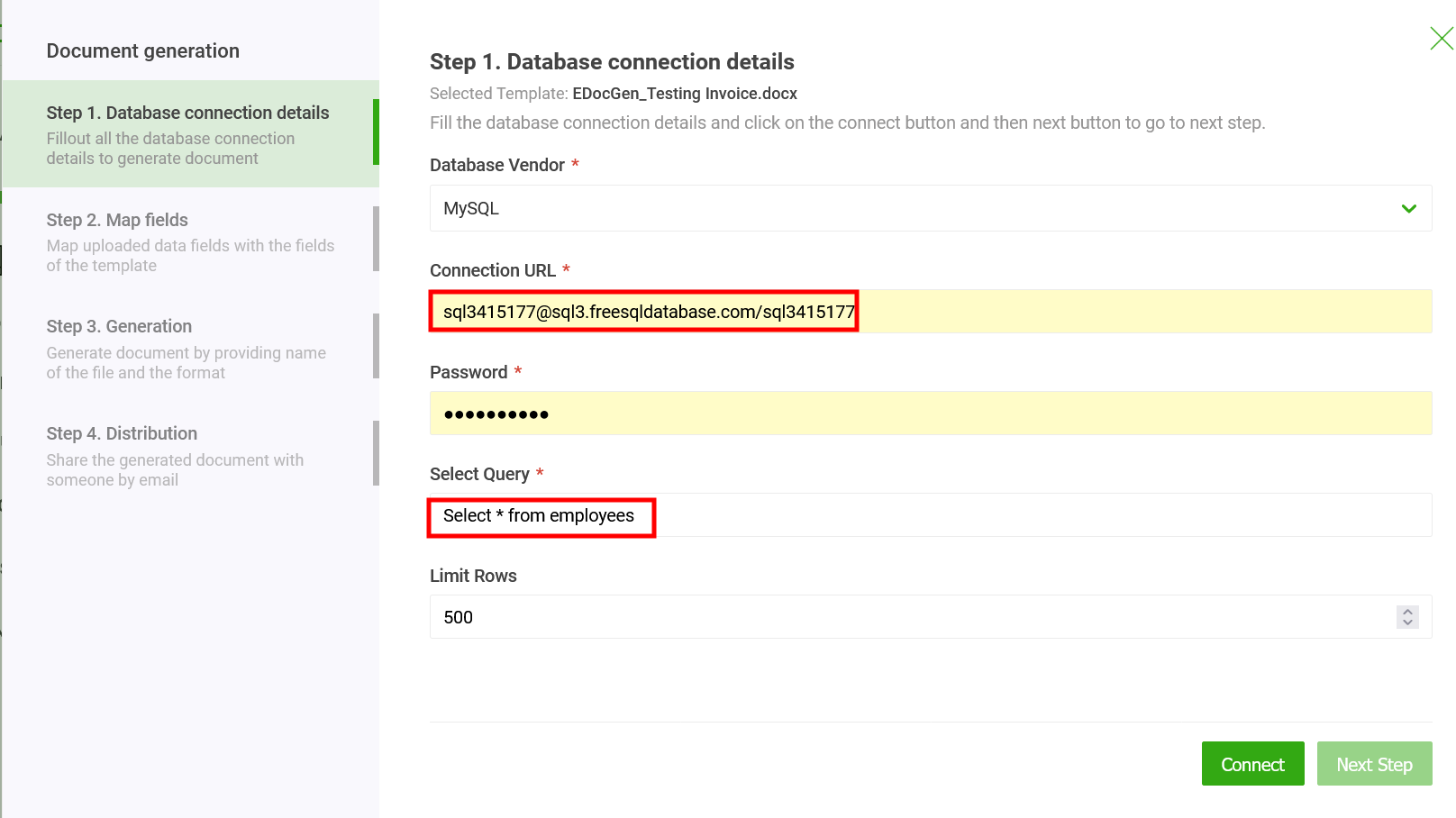
In the connection screen, select the SQL server from the drop-down. Then enter the connection URL in "username@hostname[:port]/DatabaseName" format and the password.
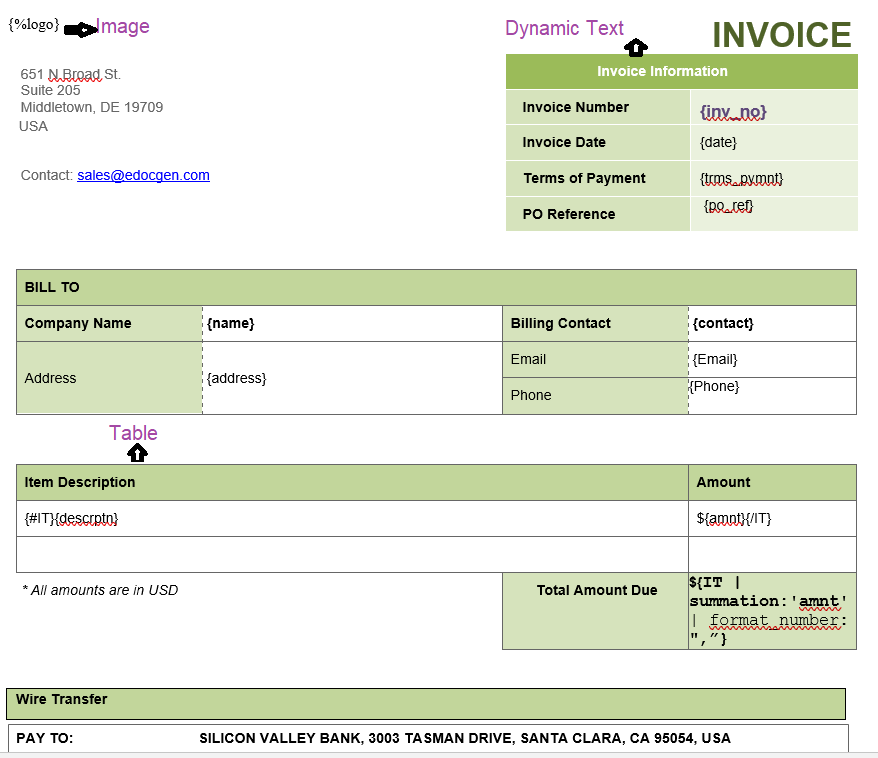
Let’s see how it works. Below are the sample MSWord invoice template and associated query. The system populates the table, image, and dynamic text fields in the template.
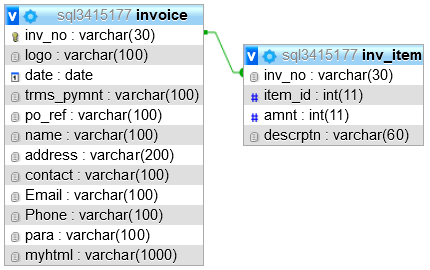
You can native MySQL queries to pull data from database. Below is the corresponding query to populate this template.
SELECT
    invoice.inv_no,
    `logo`,
    `date`,
    `trms_pymnt`,
    `po_ref`,
    `name`,
    `address`,
    `contact`,
    `Email`,
    `Phone`,
    `myhtml`,
    para,
    JSON_ARRAYAGG(
        JSON_OBJECT(
            'amnt', inv_item.amnt,
            'descrptn', inv_item.descrptn
        )
    ) AS items
FROM invoice, inv_item
where invoice.invoice.inv_no = inv_item.inv_no
GROUP BY
    invoice.inv_no;
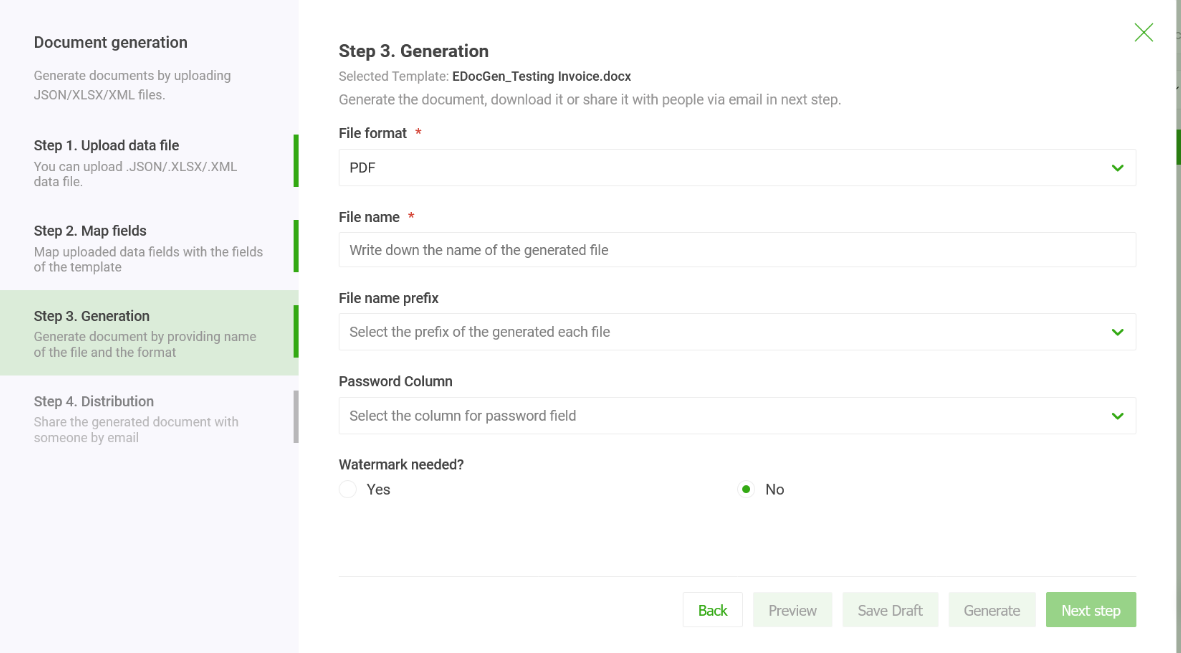
Users can generate documents in various formats including PDF, PPTX, DOCX, TXT, etc. Select the document format from the drop-down and input a name for your documents. You can even prefix the name with one of the dynamic fields.
Enter the file name and prefix for individual documents before clicking the generate button. The output in ZIP format would contain generated documents.
If you’re generating PDFs, the system provides options to add a watermark and password protection.
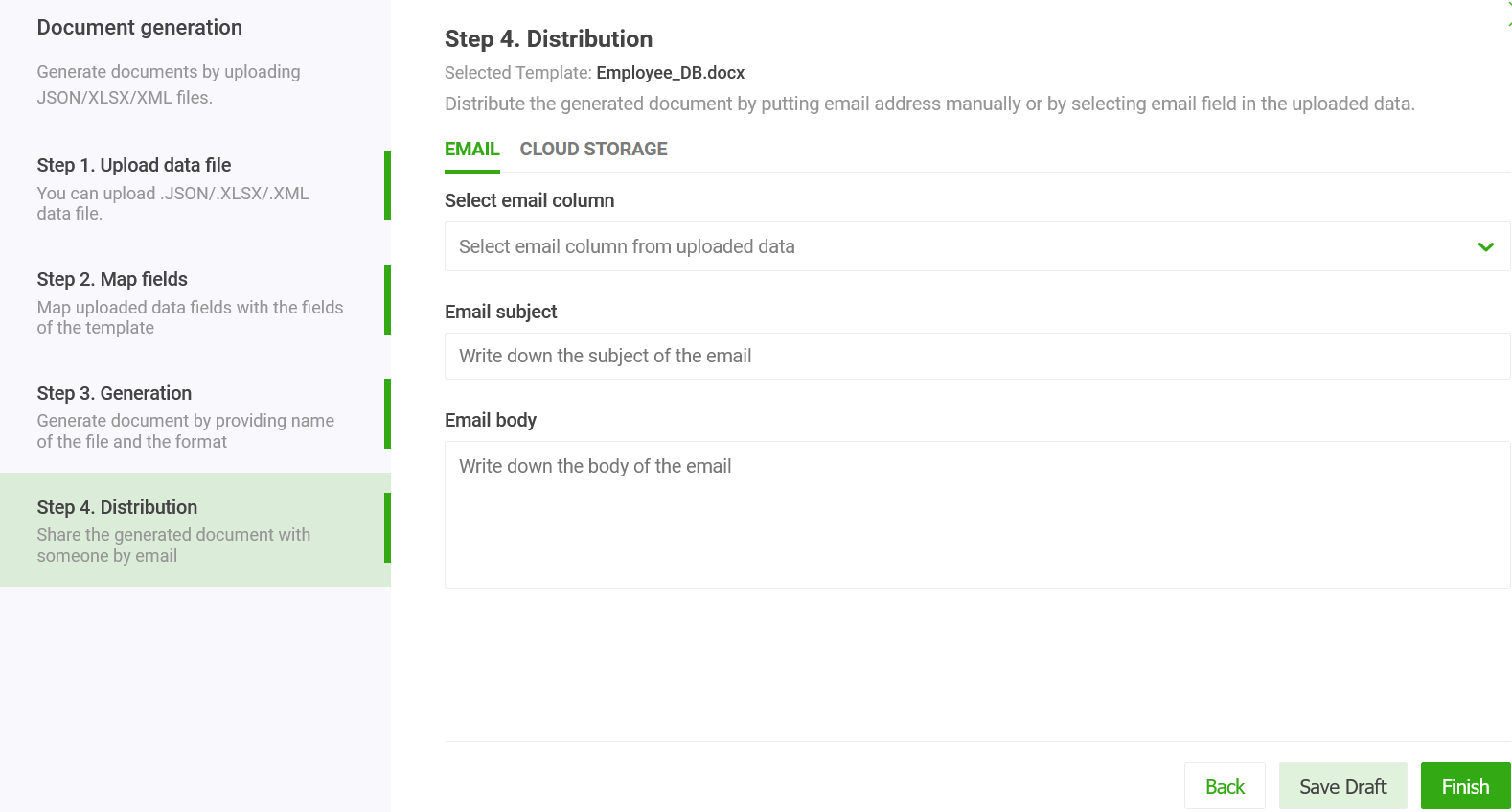
This is an optional step. You can distribute the generated documents for e-Signature and Email.
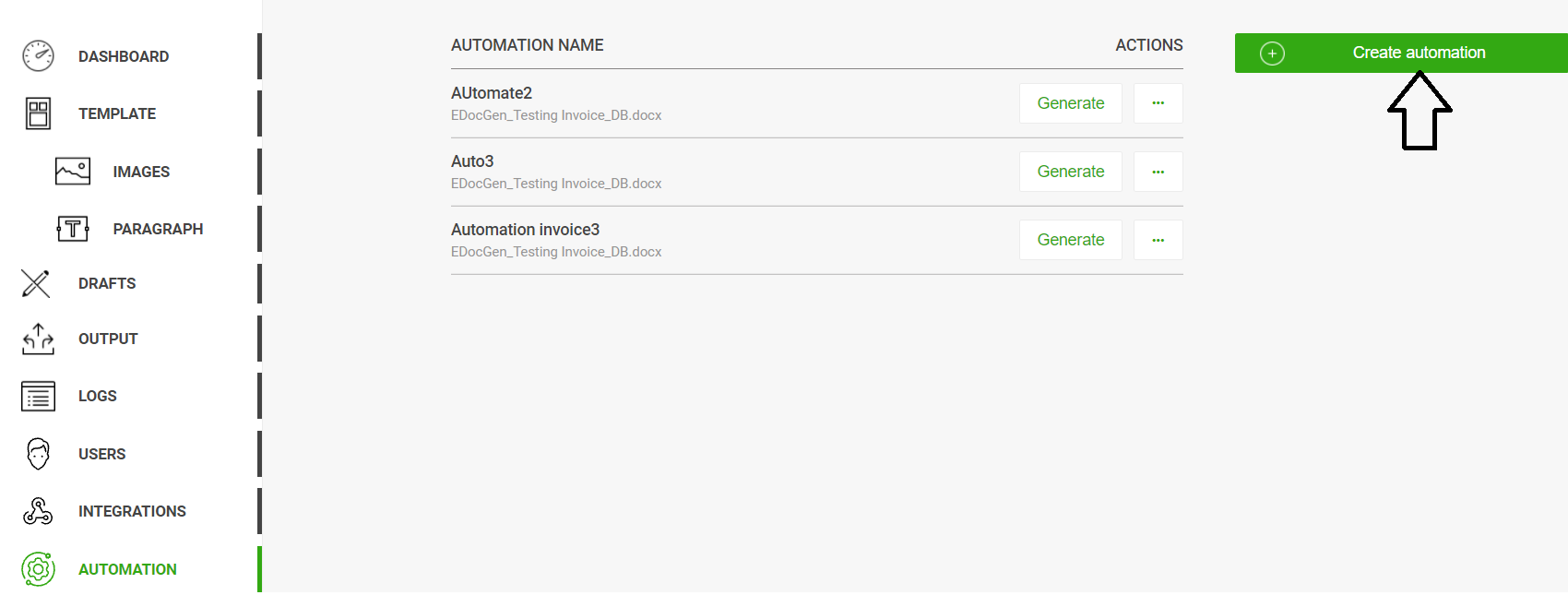
The process of entering the query and connection details each time you generate documents can be both time-consuming and tedious. The system offers features to streamline these steps through automation.
To create automation, follow the below steps. After that, the generation of PDF documents is as simple as clicking a button.
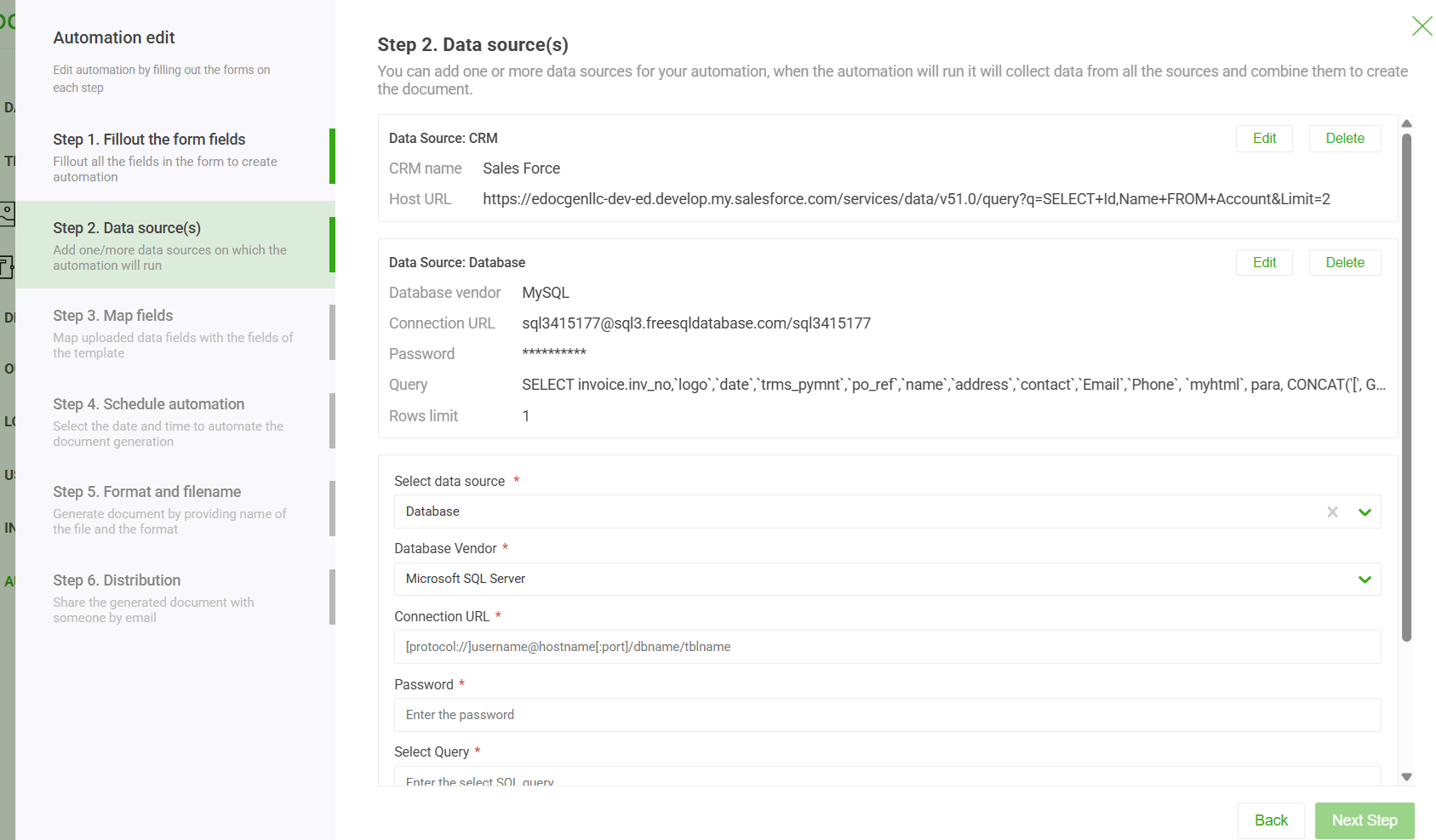
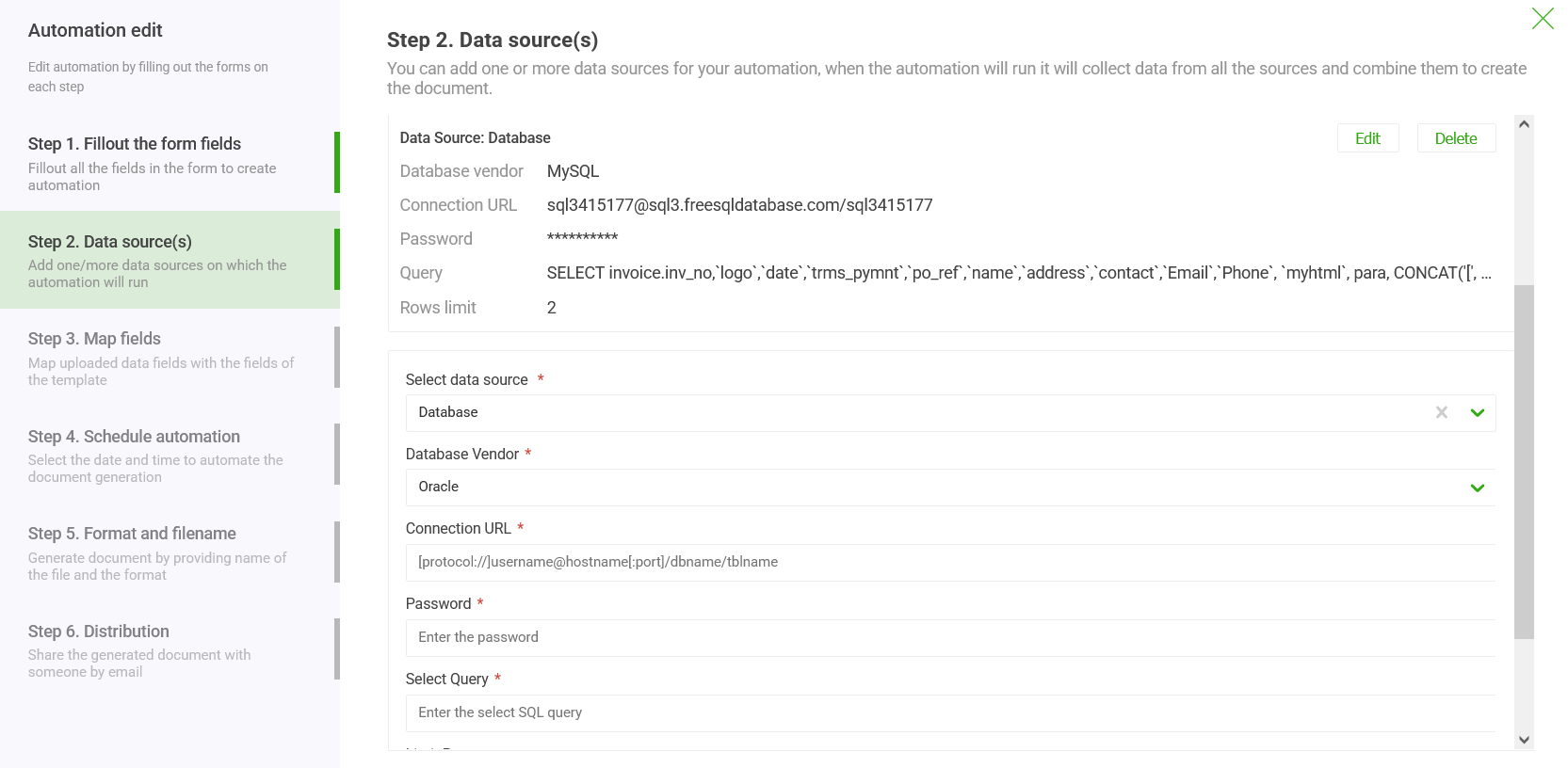
The system provides the functionalities to pull data from multiple sources—including databases (like SQL, Oracle, and MongoDB) and CRMs (like Salesforce and Dynamics 365)—and seamlessly merges the data for document generation.
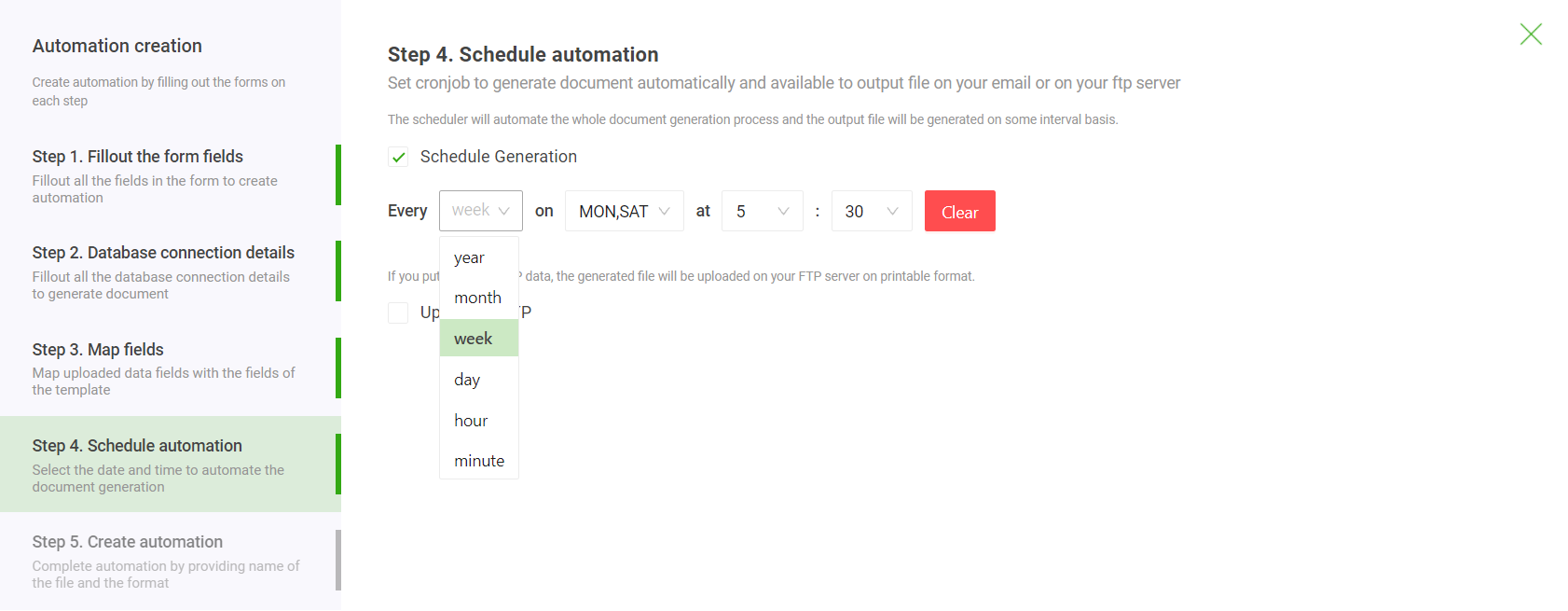
Also, the system offers options to schedule the generation every day/month/year.
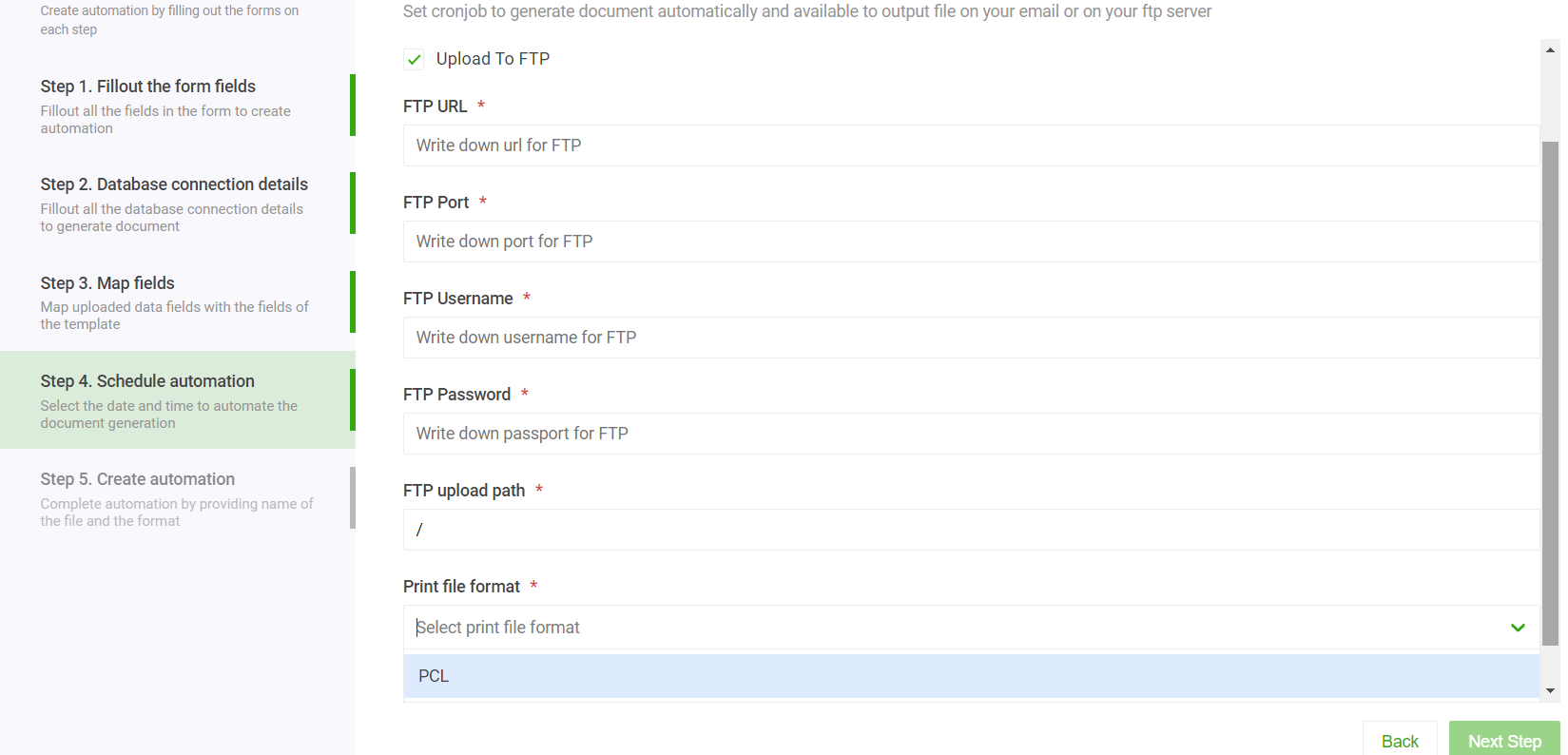
There is also an option to automatically create printer-friendly PCL5 and PostScript files and upload them to an FTP server.
The system enables you to automatically populate templates with data queried across different schemas and databases. This means you can effortlessly merge information from a variety of sources—such as multiple databases, or even a combination of databases and CRM systems—into a single, cohesive document. It simplifies complex data handling, saving time while ensuring accuracy and consistency across all generated outputs.
It offers a complete solution for the automatic generation of complex documents from your MySQL database. It makes it easy for business users to introduce new templates or make changes to existing templates and generate documents from the database without depending on IT teams.
Yes. EDocGen is a DIY, no-code platform designed for business users. Non-technical users can connect to a MySQL database, enter a SELECT query, and generate PDF or Word documents from existing templates without writing any code or relying on the IT team. Templates are edited directly in Microsoft Word — no plug-ins or add-ons needed.
Open-source PHP libraries such as fpdf, tcpdf, and wkhtmltopdf are free but require developers to build document layouts programmatically, making it hard to achieve professional designs with company fonts or styles. Every template change requires a developer to rewrite code, creating a bottleneck. Tools like Puppeteer also suffer from performance issues at high volumes. EDocGen solves this by separating template design from data, giving control back to business users.
Yes. EDocGen accepts native MySQL SELECT queries including JOINs, GROUP BY, and subqueries. For templates with table sections, using JSON_ARRAYAGG and JSON_OBJECT constructs in the query to return structured JSON arrays is the recommended approach, allowing EDocGen to correctly map and populate multi-row table data into the document template.
EDocGen supports generating documents from MySQL data in PDF, DOCX (Word), PPTX (PowerPoint), TXT, and other formats. The desired output format can be selected at the time of generation. For PDF output, options for watermarks and password protection are also available.
Yes. EDocGen supports bulk document generation from MySQL query results. Generated documents are packaged into a ZIP file. Optionally, the system can auto-distribute individual documents to recipients via email, using a dynamic email field from the MySQL query to address each recipient, along with personalized email subject and body content.
Yes. EDocGen's automation feature can pull data from multiple sources — including MySQL, SQL Server, Oracle, MongoDB, Salesforce, and Dynamics 365 — across different schemas and databases, and merge them into a single cohesive document template. This eliminates the need for complex pre-processing or ETL pipelines.
Yes. EDocGen supports scheduled document generation. Once an automation workflow is configured with the database connection and query, document generation can be scheduled to run daily, monthly, or yearly without manual intervention. The system can also generate printer-ready PCL5 and PostScript files and upload them automatically to an FTP server.
Yes. If your database references images as direct file URLs or houses them as raw Base64 data blocks inside BLOB columns, EDocGen retrieves and renders them directly within your layout fields during creation runs.
Yes. EDocGen is an API-first product with a REST API that enables programmatic document generation from MySQL data. It can be integrated into any application or automated workflow to trigger on-demand or bulk PDF and Word generation directly from your MySQL database.