
The commercial insurance landscape is notoriously document-heavy, from intricate policy declarations to complex claims forms and compliance certificates. Manually managing this flood of paperwork is not just inefficient; it's a direct threat to accuracy, client satisfaction, and profitability. Errors can lead to compliance violations, and slow turnaround times can cost you valuable clients in a competitive market. The solution lies in purpose-built technology designed to handle these specific challenges.
Effective commercial insurance document software isn't just a digital filing cabinet; it's a strategic asset that automates creation, streamlines management, and secures sensitive client data. This comprehensive guide moves beyond marketing claims to provide a practical analysis of the top platforms available today.
We will dive deep into 12 leading software solutions, to help you find the best fit for your specific needs, whether you are an IT team at a large bank or an operations manager at a real estate firm. We'll explore each tool's core strengths, reveal its limitations, and present real-world use cases to help you identify the platform that will eliminate bottlenecks and give your business a decisive advantage.
eDocGen stands out as a premier choice for commercial insurance enterprises that handle a significant volume of complex, data-driven documentation. Its platform is engineered specifically to tackle the high-stakes environment of insurance, where accuracy, compliance, and personalization are non-negotiable. What truly sets eDocGen apart is its powerful combination of a no-code interface with robust backend integration capabilities, making it a highly effective piece of commercial insurance document software.
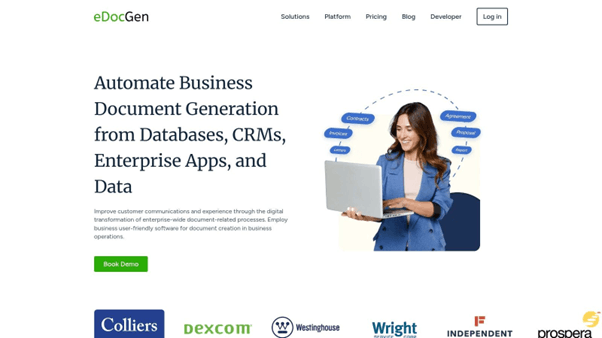
Business users, such as underwriters or claims processors, can directly design and manage dynamic document templates without needing to write a single line of code. This self-service model drastically reduces the reliance on IT departments for template updates, accelerating the rollout of new products or policy changes. The platform excels at pulling data from disparate sources like CRMs (e.g., Salesforce), databases, and other core enterprise systems via its flexible API. This ensures that every generated document, from policy declarations to renewal notices, is automatically populated with the correct, real-time information.
Implementation Insight: For a successful rollout, begin by mapping your most critical document workflows. Identify the primary data sources for each and leverage eDocGen’s API to create a seamless connection. Empower a few key business users to become template design champions to drive adoption across teams.
|
Feature |
Details |
|
Best For |
Enterprises needing to automate high volumes of data-intensive documents like policies, quotes, and claims letters. |
|
Deployment |
Flexible options for both cloud and on-premises deployment to meet specific security or infrastructure requirements. |
|
Security |
Robust data protection with AES-256 encryption for both data in transit and at rest, crucial for sensitive PII. |
|
Pricing |
Custom pricing based on volume, features, and deployment model. A consultation is required for a specific quote. |
|
User Experience |
The no-code interface is intuitive for business users, but the initial setup and integration may require IT support. |
Pros:
Cons:
Explore how the platform can transform your operations; you can learn more about its specific insurance document generation capabilities on their website.
CaptaIMS stands out as an exceptionally affordable and accessible cloud-based solution tailored specifically for commercial insurance agencies and brokerages. Its core strength lies in unifying essential daily operations into a single, user-friendly platform. Agencies can manage an unlimited number of lead and policy records, ensuring scalability as the business grows. The system simplifies document handling with built-in e-signature capabilities, eliminating the need for third-party tools and expediting client approvals.

What makes CaptaIMS particularly effective as a piece of commercial insurance document software is its integrated phone system. This allows for seamless tracking of all client communication, both inbound and outbound, directly within the client’s record. For teams focused on compliance, the platform provides robust document management and customizable permission groups to control data access, ensuring sensitive information is protected.
Boilerplate specializes in streamlining document-heavy workflows for insurance carriers and brokers through its sophisticated cloud-based platform. It excels at automating the entire document lifecycle, from intake and processing to secure storage and e-signatures. The system is engineered to eliminate manual paperwork bottlenecks, providing teams with a transparent, real-time visual tracker to monitor the status of every document. This focus on workflow automation makes it a powerful piece of commercial insurance document software for organizations aiming to boost operational productivity.
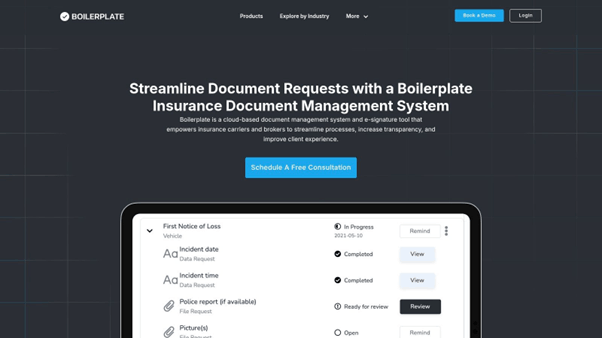
What sets Boilerplate apart is its enterprise-grade security and robust API, which allows for seamless integration with existing systems. This ensures that adopting the platform doesn't require a complete overhaul of current IT infrastructure. For compliance-focused teams, Boilerplate provides a full electronic audit trail for every action taken on a document, which is critical for maintaining regulatory standards. The combination of built-in e-signature capabilities and automated workflows significantly accelerates client processing times, directly enhancing customer satisfaction and operational efficiency.
PandaDoc specializes in streamlining the proposal and quote generation process, positioning itself as a powerful sales-focused tool for commercial insurance providers. It enables agents to quickly create customized, visually appealing, and fully-compliant proposals by leveraging a rich content library and pre-approved templates. This approach significantly reduces the time spent on administrative tasks, allowing teams to focus more on client engagement and closing deals. The platform’s core strength is its ability to manage the entire document lifecycle from creation to legally binding e-signature.
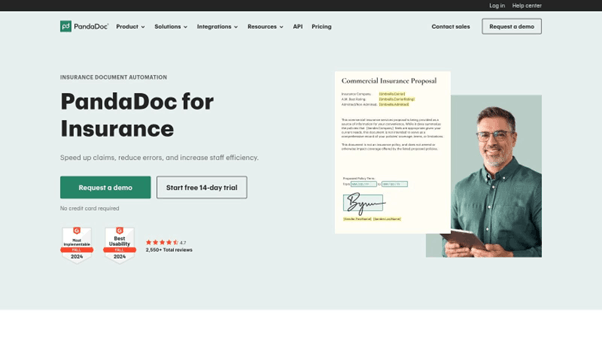
What makes PandaDoc a standout piece of commercial insurance document automation is its real-time analytics and tracking. Agents receive instant notifications when a proposal is opened, viewed, or commented on, providing valuable insights to time follow-ups effectively. With automated workflows for approvals and reminders, the system ensures compliance and keeps the sales process moving forward. Its user-friendly, drag-and-drop editor and seamless integrations with popular CRM tools make it an accessible yet robust choice for agencies looking to enhance sales efficiency.
SignWell positions itself as a streamlined and highly accessible e-signature platform, focusing on simplifying one of the most critical steps in the insurance workflow: getting documents signed. Its primary appeal for commercial insurance agencies lies in its efficiency and ease of use, removing friction from client onboarding, policy renewals, and claims processing. The platform allows users to quickly prepare documents for signature using a drag-and-drop editor and save frequently used forms as reusable templates, a significant time-saver for standard agreements like NDAs or service contracts.
What makes SignWell an effective piece of commercial insurance document software is its no-nonsense approach to compliance and tracking. Every signed document comes with a detailed audit trail, providing a clear history of all activity for legal and regulatory purposes. Automated reminders ensure that pending signatures don't fall through the cracks, improving turnaround times and helping agents close deals faster. Its straightforward functionality makes it an excellent supplementary tool for agencies that already have a core management system but need a dedicated, reliable e-signature solution.
InsureEdge presents itself as a unified policy administration and claims management software, empowering insurers with a modular approach. This platform is designed to handle the entire insurance lifecycle, from customer onboarding and policy administration to complex claims processing and reinsurance. Its core value lies in offering customizable modules that allow insurance companies to tailor the system to their specific operational workflows, enhancing overall productivity and control.
For businesses looking for comprehensive commercial insurance document software , InsureEdge provides robust document management and compliance tools. Its architecture supports multi-currency and multi-language operations, making it suitable for global enterprises. The platform's ability to integrate with various third-party systems ensures it can fit within an existing tech stack, centralizing data and streamlining document-heavy processes like underwriting and claims validation.
pdfFiller offers a versatile, all-in-one document management system that empowers commercial insurance producers to handle the entire contract lifecycle digitally. Its strength lies in its comprehensive suite of cloud-based tools for creating, editing, signing, and organizing critical insurance documents. Producers can effortlessly modify PDF forms, annotate contracts during negotiations, and manage revisions in a centralized, paperless environment, significantly boosting productivity and client turnaround times.
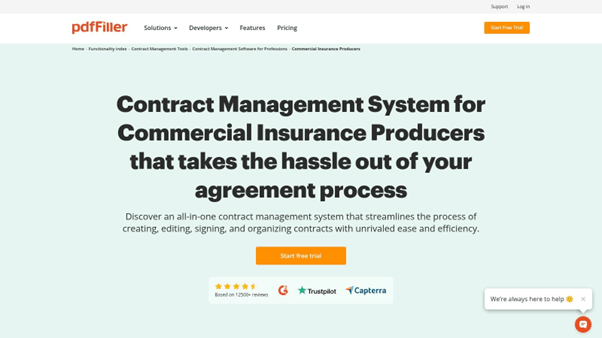
What sets pdfFiller apart as a piece of commercial insurance document software is its user-friendly interface accessible from any device, which greatly simplifies collaboration. Shared folders and real-time updates ensure all stakeholders are working with the most current version of a policy or agreement. The platform’s built-in e-signature functionality includes tracking, providing a clear audit trail for compliance purposes and eliminating the bottlenecks associated with manual paperwork.
OnlyOffice DocSpace provides a versatile and highly affordable platform for agencies seeking robust document control without the enterprise price tag. It excels by offering a collaborative space where teams can create, edit, and manage policy documents, claims forms, and client agreements in real-time. A key differentiator is its deployment flexibility; agencies can choose between a secure cloud-based solution or a self-hosted server, granting them complete control over their data and compliance posture.
As a piece of commercial insurance document software, its strength lies in its powerful online editors, which support all major file formats, ensuring seamless compatibility with documents received from clients or carriers. The user-friendly interface simplifies navigation and document organization, making it accessible for team members with varying technical skills. The platform's room-based structure allows for creating secure, dedicated spaces for different clients or policy types, enhancing organization and access control.
Alfresco offers a powerful, open-source content services platform ideal for large insurance enterprises that require extensive customization and control over their document workflows. Its strength lies in managing the entire lifecycle of high-volume, critical documents, from creation and processing to long-term archiving and disposal. The platform is designed for complex environments, providing robust tools to automate claims processing, underwriting, and compliance reporting, making it a cornerstone for digital transformation.
As a piece of commercial insurance document software , Alfresco excels with its AI-powered search and automatic workflow capabilities, which significantly reduce manual effort and accelerate document retrieval. Its seamless integration with cloud storage like Google Drive and Microsoft 365 allows teams to work within familiar ecosystems while benefiting from enterprise-grade security and governance. For large organizations, this blend of flexibility and control is critical for maintaining both operational efficiency and regulatory compliance.
M-Files offers a highly versatile and intelligent information management platform that excels in handling complex document workflows typical in the commercial insurance sector. Rather than organizing files in traditional folders, it uses metadata to classify and retrieve documents, allowing users to find information based on what it is, not where it's stored. This approach is powerful for managing policies, claims, and compliance paperwork, as a single document can be accessed through multiple contexts, such as by client, policy number, or date.
The platform's robust version control and built-in optical character recognition (OCR) technology make it an exceptional piece of commercial insurance document software. OCR converts scanned documents into searchable text, while version tracking ensures teams always work from the most current file. Its ability to integrate deeply with systems like SharePoint and Salesforce enhances collaboration and creates a unified data environment, improving accessibility and supporting compliance through secure storage and detailed audit trails.
Briza positions itself as a streamlined commercial insurance software solution designed to enhance business processes through powerful automation and integration. Its platform combines customer relationship management, document handling, and workflow automation to significantly reduce manual paperwork and save time for insurance professionals. The system is built to manage the entire client lifecycle, from initial contact to policy renewal, within a single, cohesive environment.
A key differentiator for Briza is its focus on customizable workflows. This allows agencies to automate repetitive tasks and standardize processes, ensuring consistency and compliance across the team. As a piece of commercial insurance document software, it supports efficient document management and provides risk assessment tools, enabling more informed decision-making. The ability to integrate with various third-party systems makes it a flexible hub for an agency’s technology stack.
Insly offers a versatile low/no-code insurance platform designed for Managing General Agents (MGAs) and insurance companies seeking to modernize their operations. Its full-cycle approach integrates key functions, allowing users to manage policies, process claims, and handle commissions from a single, cohesive environment. The software’s strength is its adaptability, supporting various lines of commercial insurance with configurable workflows.
A key benefit for those needing robust commercial insurance document software is Insly’s built-in document management system. It enables automated generation of policies, quotes, and endorsements, ensuring brand consistency and accuracy. The platform centralizes all client-related documents, simplifying compliance checks and providing a clear audit trail. This integration enhances operational efficiency by reducing manual data entry and minimizing the risk of errors associated with disparate systems.
|
Solution |
Core Features |
User Experience |
Value Proposition |
Target Audience |
Price & Deployment |
|
eDocGen |
Smart templates, multi-format, bulk, multi-lingual, no-code automation, AES-256 security |
No-code interface, flexible deployment, reduces IT dependency |
Compliant, personalized, error-free insurance docs, rapid ROI |
Insurance companies |
Not disclosed, cloud & on-premises |
|
CaptaIMS |
Client management, e-sign, integrated phone, permission groups, renewal reminders |
User-friendly, no installation, 30-day free trial |
Affordable, improves agency productivity |
Commercial insurance agencies |
From $30/user/month, cloud-based |
|
Boilerplate |
Automated intake, e-sign, secure storage, real-time tracking, API integration |
Workflow automation, transparency, audit trails |
Increases productivity and client satisfaction |
Insurance carriers & brokers |
Not publicly available, cloud |
|
PandaDoc |
Proposal templates, e-sign, workflows, analytics, CRM integration |
Drag-drop editor, collaboration, fast setup |
Boosts sales efficiency, team collaboration |
Commercial insurance providers |
Tiered pricing, cloud-based |
|
SignWell |
E-sign, reusable templates, reminders, audit trail |
Intuitive, competitive pricing, compliant |
Simplifies signing, saves time |
Insurance professionals |
Free plan available, cloud-based |
|
InsureEdge |
Policy & claims management, compliance, multi-language, integrations |
Intuitive, modular, comprehensive |
Customizable, enhances insurance operations |
Insurers |
Not publicly available |
|
pdfFiller |
PDF editing, annotations, e-sign, cloud storage, document tagging |
User-friendly, device-accessible |
Paperless workflows, enhances collaboration |
Commercial insurance producers |
Tiered pricing, cloud-based |
|
OnlyOffice DocSpace |
Cloud storage, editing, collaboration, self-hosting option |
Easy navigation, cost-effective |
Flexible deployment, affordable |
Insurance agencies |
Free & paid plans, cloud & self-hosted |
|
Alfresco |
AI search, automated workflows, cloud integrations, secure storage |
Efficient automation, collaboration |
Compliance, productivity for large enterprises |
Large insurance enterprises |
Not publicly available |
|
M-Files |
Version tracking, metadata, OCR, SharePoint/Salesforce integration |
Improves accessibility & collaboration |
Secure, compliant document management |
Insurance companies |
Not publicly available |
|
Briza |
CRM, document management, workflows, risk tools |
Automation boosts efficiency |
Saves time, reduces paperwork |
Commercial insurance firms |
Not publicly available |
|
Insly |
Policy & claims management, document mgmt, commission tools |
User-friendly, all-in-one solution |
Streamlines insurance operations |
MGAs & insurance companies |
Not publicly available |
Choosing the right commercial insurance document software is a pivotal decision that will reverberate through every layer of your operations, from client-facing proposals to back-office compliance. This is not simply about acquiring a new application; it's a strategic investment in a more efficient, secure, and agile future for your enterprise. The landscape of solutions is vast and varied, as we've explored.
The key to navigating this complex market is to anchor your evaluation process in the specific operational realities of your organization. What are your most pressing challenges today? Is your team drowning in the manual creation of certificates of insurance (COIs)? Are you struggling with version control for complex policy documents? Or is the primary bottleneck the slow, paper-based process of collecting client signatures and onboarding data? Your answers to these questions will illuminate the path forward.
Remember that the best commercial insurance document software for your organization is one that not only solves today's problems but also grows with you. As you finalize your decision, consider the provider's customer support model, their product development roadmap, and their reputation within the industry. While many of the tools listed here are specific to insurance workflows, the underlying technology often falls under a broader category.
Ultimately, making this investment is about empowering your team to focus on what they do best: building client relationships and managing risk, not wrestling with paperwork. The right platform will transform your document processes from a cost center into a strategic asset that drives growth and enhances client satisfaction.
Ready to build a truly automated and scalable document workflow? See how EDocGen empowers insurance and financial enterprises to generate thousands of complex, data-driven documents in minutes, not hours. Explore EDocGen to discover a powerful solution for your commercial insurance document generation needs.