
What kind of document generation software does your business need? Definitely not one that slows you down or becomes outdated when you scale.
You need a tool that cuts through repetitive tasks and helps your team work smarter. A system that automates document creation, ensuring every output looks professional and accurate.
That’s what we’re talking about!
What to Look for in Document Generation Software
Your ideal software needs to do more than just create documents. Here's what really matters:
Must-Haves:
Advanced Features:
Quick Insight: This is just a snapshot of the core features; a dedicated section ahead will unpack what makes document generation software genuinely effective.
Bottom line:
If you want a tool that makes your life easier, these features aren't just nice-to-haves; they're essential.
This guide breaks down the top 10 best document generation software options for 2026, giving you a clear look at each tool's offerings and how they might fit your needs.
Our quick comparison table will help you understand the basics before we discuss the details.
|
Software |
Use Case |
Core Strength |
Price |
Scale |
Template Complexity |
|
EDocGen |
Enterprise document automation platform |
High-volume API-driven document automation, bulk processing, and real-time integrations |
Starting $99/month |
Enterprise |
Advanced (Supports complex nested logic, multi-language, and dynamic data fields) |
|
Brand Quantum |
Brand compliance and governance for corporate communication |
Brand governance & consistency |
Custom pricing |
Mid to Large |
Moderate (Designed for brand-focused templates and basic workflows) |
|
Conga Composer |
Salesforce-native document generation |
Salesforce integration |
Custom Pricing |
Mid to Large enterprises |
Advanced (Sales-focused documents) |
|
Contract Book |
Legal document management |
Contract lifecycle management |
Contact sales for customized quotes. |
Small to Mid |
High (Handles complex legal document structures effectively) |
|
Crove |
Small business automation |
User-friendly interface |
Starts at ₹2,100/month (approx. $25) |
Small to Mid |
Basic to Moderate |
|
Docsie |
Technical documentation and knowledge management |
AI-powered content creation and developer-friendly features |
From $143/month |
Small to Large |
Advanced (Technical and developer-focused content) |
|
Docu Generate |
Enterprise documents |
Custom workflow creation |
From $19/month |
Enterprise |
Advanced (Multi-template assembly) |
|
Formstack |
Form-to-document conversion |
Data collection & workflows |
From $99/month |
Small to Large |
Moderate (Form-based templates) |
|
Gavel |
Legal document automation |
Legal-specific workflows and compliance tools |
From $83/month |
Small to Large Firms |
Advanced (Legal and compliance-focused) |
|
HotDocs |
Complex document assembly |
Document complexity handling |
Custom Pricing |
Enterprise |
Very High (Most complex logic) |
Now, let's explore each of these tools in more detail.
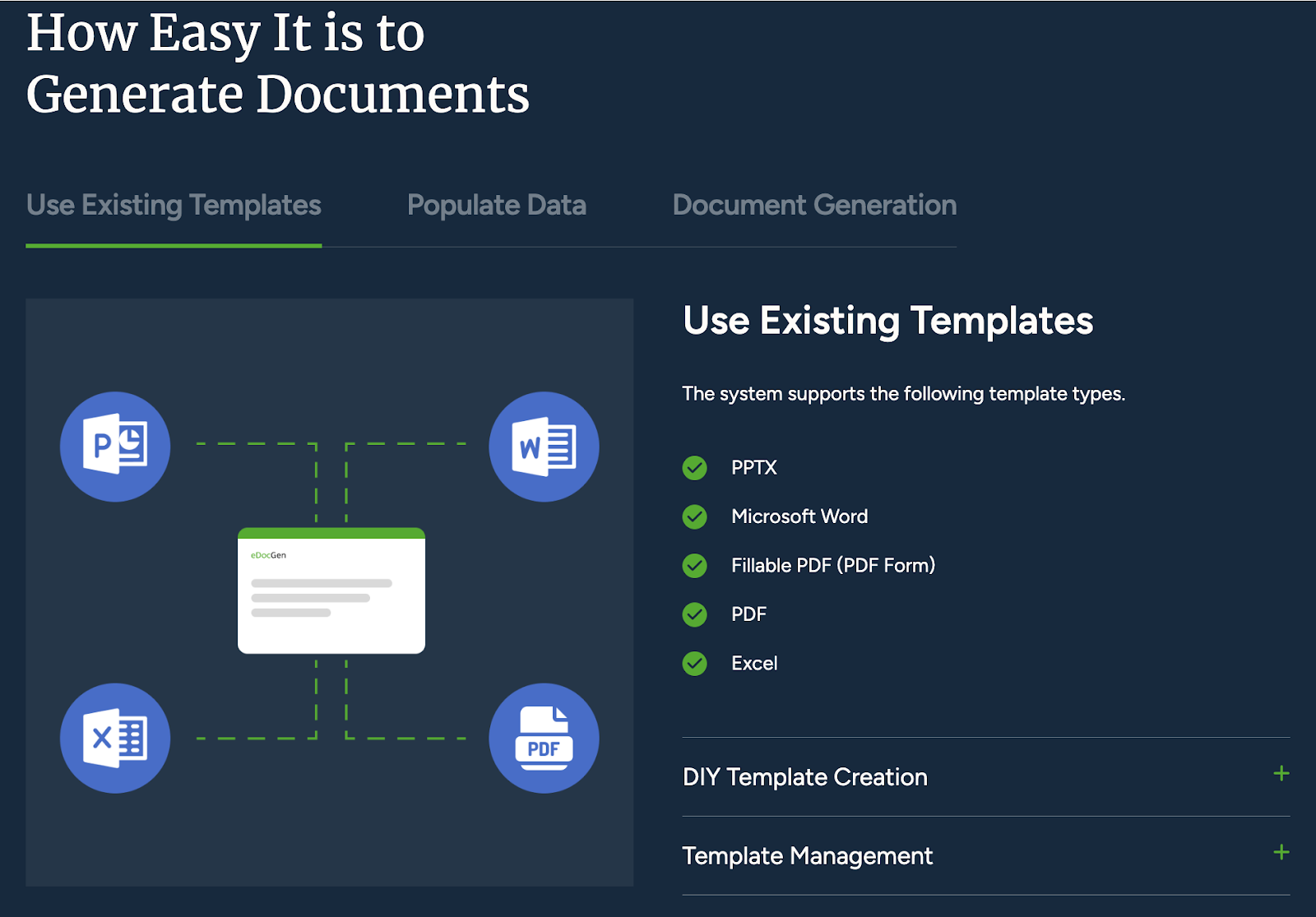
It is an API-first document generation platform built for businesses that want to leverage template-based document generation.
It helps companies automate their paperwork, making customer communications smoother and helping teams work more efficiently across different systems and workflows.
|
Core Features |
Standout Capabilities |
|
|
eDocGen is the perfect platform for:
|
Plan |
Price |
Features |
|
Standard |
$99/month |
500 documents onwards, 2 users, upgradeable options. |
|
Premium |
$119/month |
Advanced features and additional formats support. |
|
Ultimate |
Contact Sales |
Custom solutions, high-volume discounts. |
If you want to automate high-volume document processes and integrate seamlessly with your existing systems, It is built for you.
Trusted by businesses worldwide, it delivers multilingual support, powerful APIs, and dynamic content capabilities to simplify your workflows and drive efficiency.
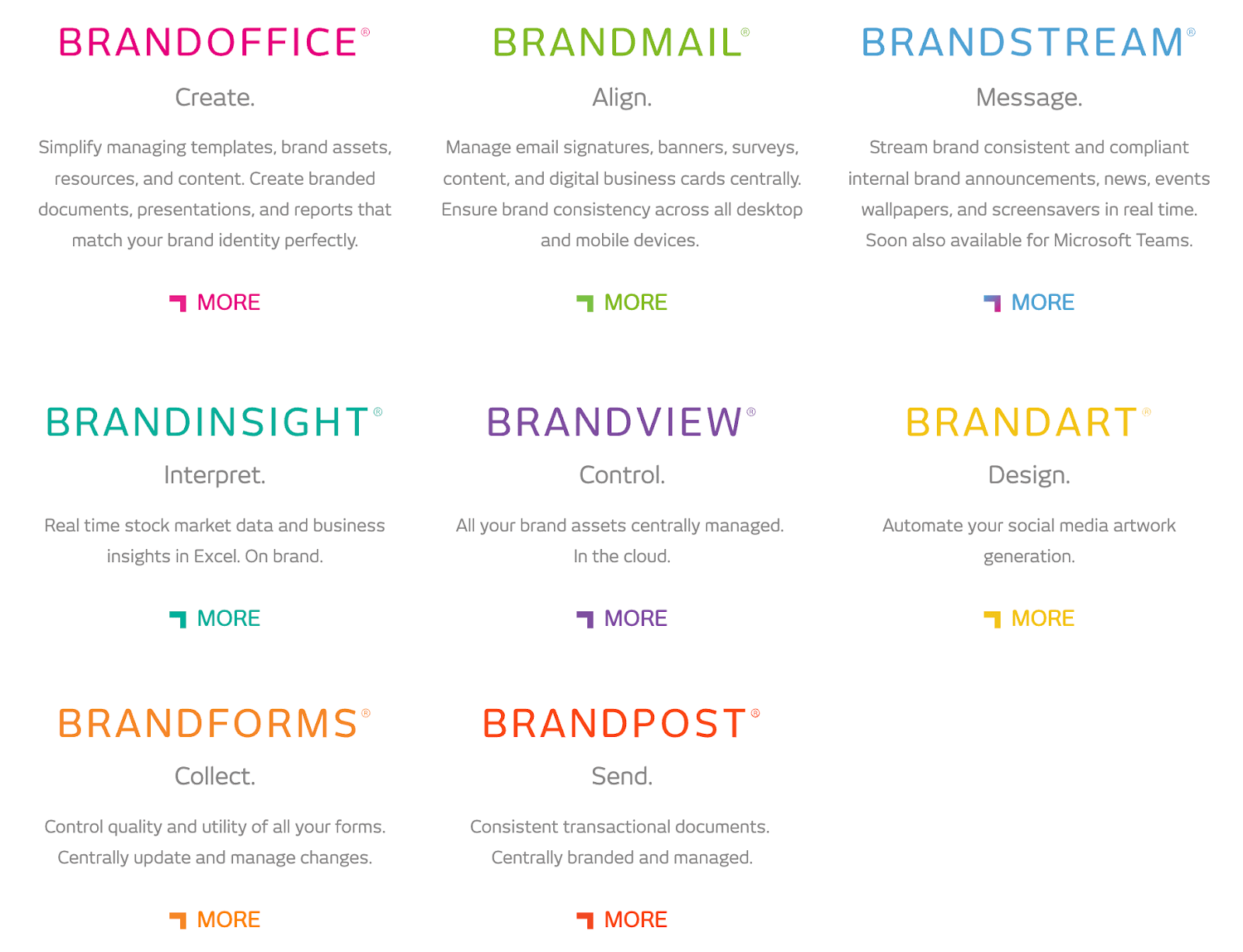
BrandQuantum helps companies maintain brand consistency by automating document creation and providing tools that keep communications looking professional and uniform.
It ensures your emails, documents, and forms look and feel the same across all platforms, making it ideal for businesses that care about their brand image.
|
Core Features |
Standout Capabilities |
|
|
BrandQuantum is the chosen platform for:
BrandQuantum offers two pricing tiers based on user count and requirements:
|
Plan |
Price |
Features |
|
Desktop |
$5.66 per user/month (1–50 users) |
Software license, version updates, 24/7 support, and more |
|
Lite |
$4.24 per user/month (1–50 users) |
Same as the Desktop plan, optimized for lighter workflows |
If you focus on maintaining brand consistency across all communications, BrandQuantum has you covered.
Features like centralized template management and real-time brand updates ensure your documents, emails, and forms align seamlessly with your corporate identity.
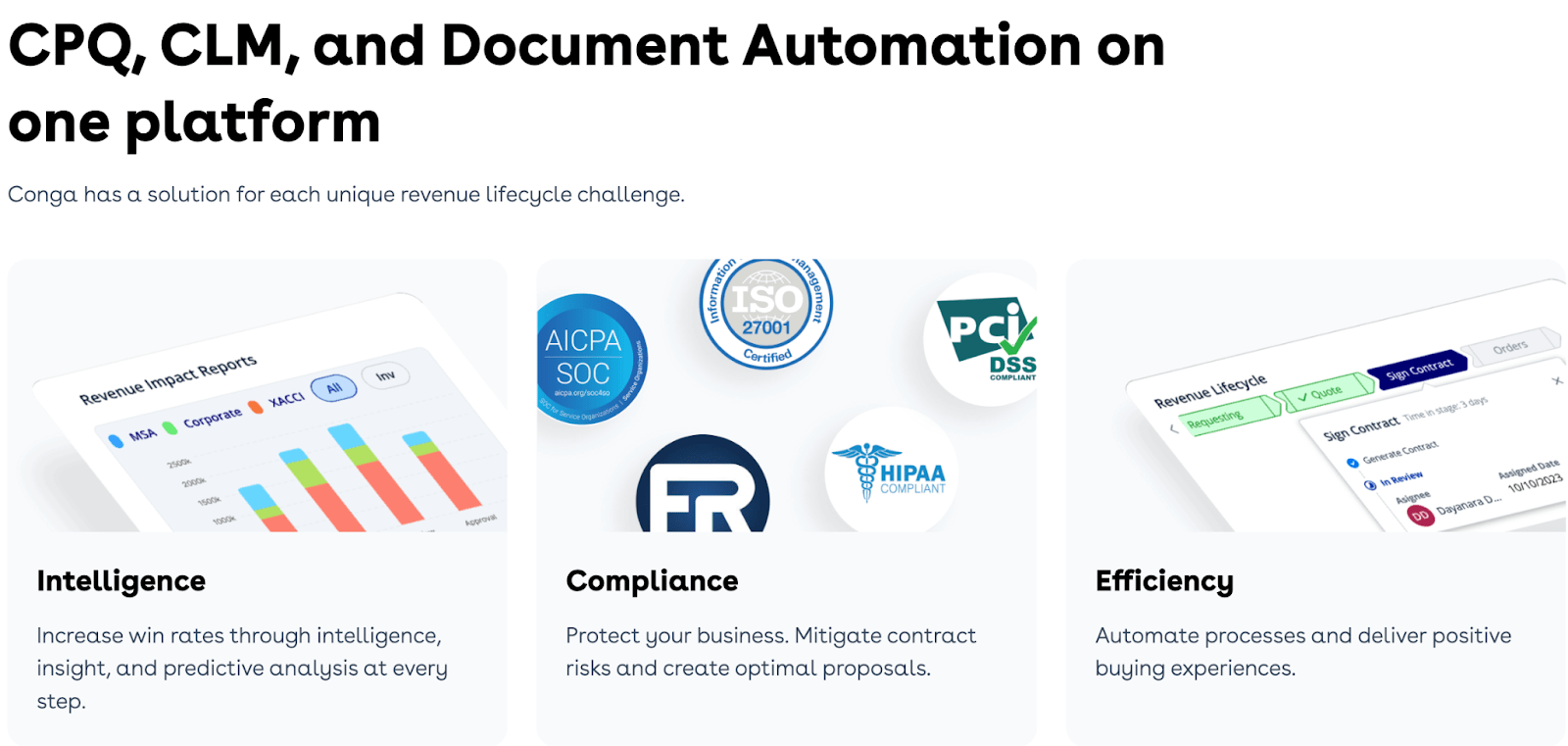
Conga Composer simplifies document generation by merging data from multiple sources into professional, on-brand documents.
Designed with businesses heavily invested in Salesforce, it provides automation capabilities to improve accuracy and efficiency across teams.
|
Core Features |
Standout Capabilities |
|
|
Conga Composer is the chosen platform for:
The brand offers customized pricing tailored to meet your business needs and budget.
The platform's pricing prioritizes:
The representatives analyze your process for a personalized quote and provide a pricing structure to match your requirements.
If you’re a Salesforce-dependent organization looking to streamline document workflows, Conga Composer will integrate perfectly with your CRM.
Offering powerful automation, dynamic content generation, and branding tools, it’s the ideal choice to enhance accuracy and productivity across teams.
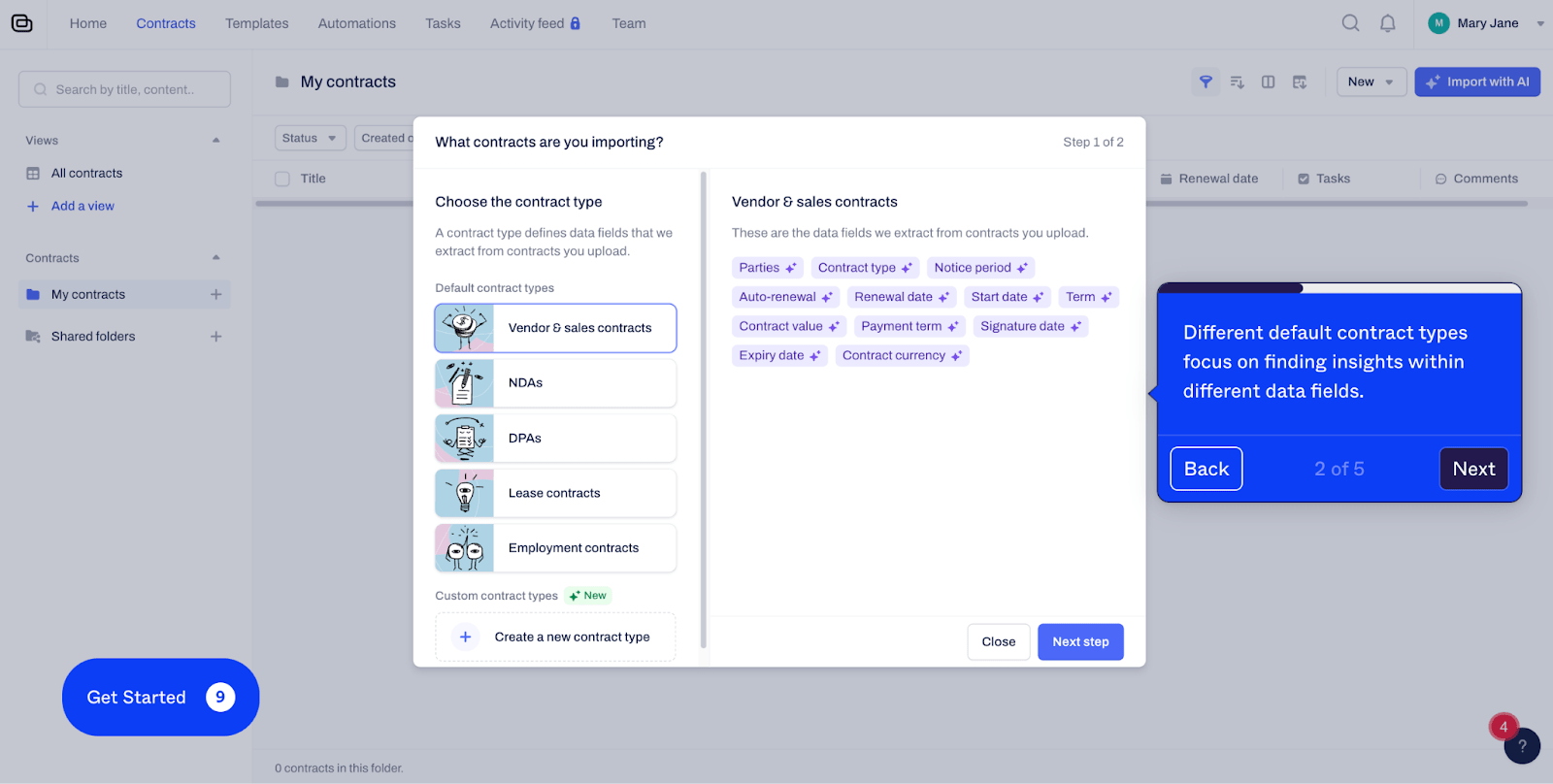
ContractBook positions itself as a modern contract management platform designed to transform contracts into actionable data.
Leveraging AI, dynamic workflows, and centralized storage simplifies contract processes and empowers businesses to act quickly, stay compliant, and make informed decisions.
|
Core Features |
Standout Capabilities |
|
|
ContractBook offers three plans tailored to different user needs.
|
Plan |
Ideal For |
Features |
|
Essential |
Individuals or companies with basic contract needs. |
1 user, 5 templates, 50 AI imports, unlimited signatures. |
|
Centralize |
Companies with growing contract needs looking to centralize and act on contracts. |
Team management, custom data extraction, reminders, CSV export, 5 users, unlimited templates, AI imports, unlimited signatures. |
|
Accelerate |
Companies aiming for organization-wide contract consistency. |
Dynamic templates, automation, integrations with Pipedrive and HubSpot, user provisioning, 10 users, ultimate templates, and AI imports. |
ContractBook also integrates ready-made templates and AI-driven insights, making it a competitive choice for businesses seeking advanced automation.
However, detailed pricing is not disclosed and requires contacting their sales team.
For businesses managing complex contracts, ContractBook simplifies workflows with AI-powered insights, automated processes, and centralized storage.
Whether you’re in legal, HR, or consulting, it helps you act faster, make better decisions, and stay compliant.
Crove is known for its intuitive, no-code approach to document automation.
This makes it particularly attractive to non-technical users and SMBs looking to simplify their document processes.
The brand maintains a good balance between ease of use and powerful automation capabilities while maintaining the power to handle complex document generation needs.
|
Core Features |
Standout Capabilities |
|
|
ContractBook offers three plans tailored to different user needs.
|
Plan |
Ideal For |
Features |
Cost |
|
Personal |
Individuals |
1 user, 10 templates, Zapier integration, 500 GB storage, email/chat support. |
₹2,100/month or ₹21,000/year |
|
Business |
Growing Teams |
Up to 20 users, additional features for advanced workflows. |
₹4,500/month or ₹45,000/year |
|
Enterprise |
Large Organizations |
Unlimited users, custom integrations, and tailored solutions. |
Contact Sales |
Note:
If your team values simplicity and legal compliance, Crove delivers no-code automation for contracts, proposals, and routine documents.
Flexible integrations and collaboration tools make it an excellent fit for HR, sales, and operations teams looking to streamline their workflows.
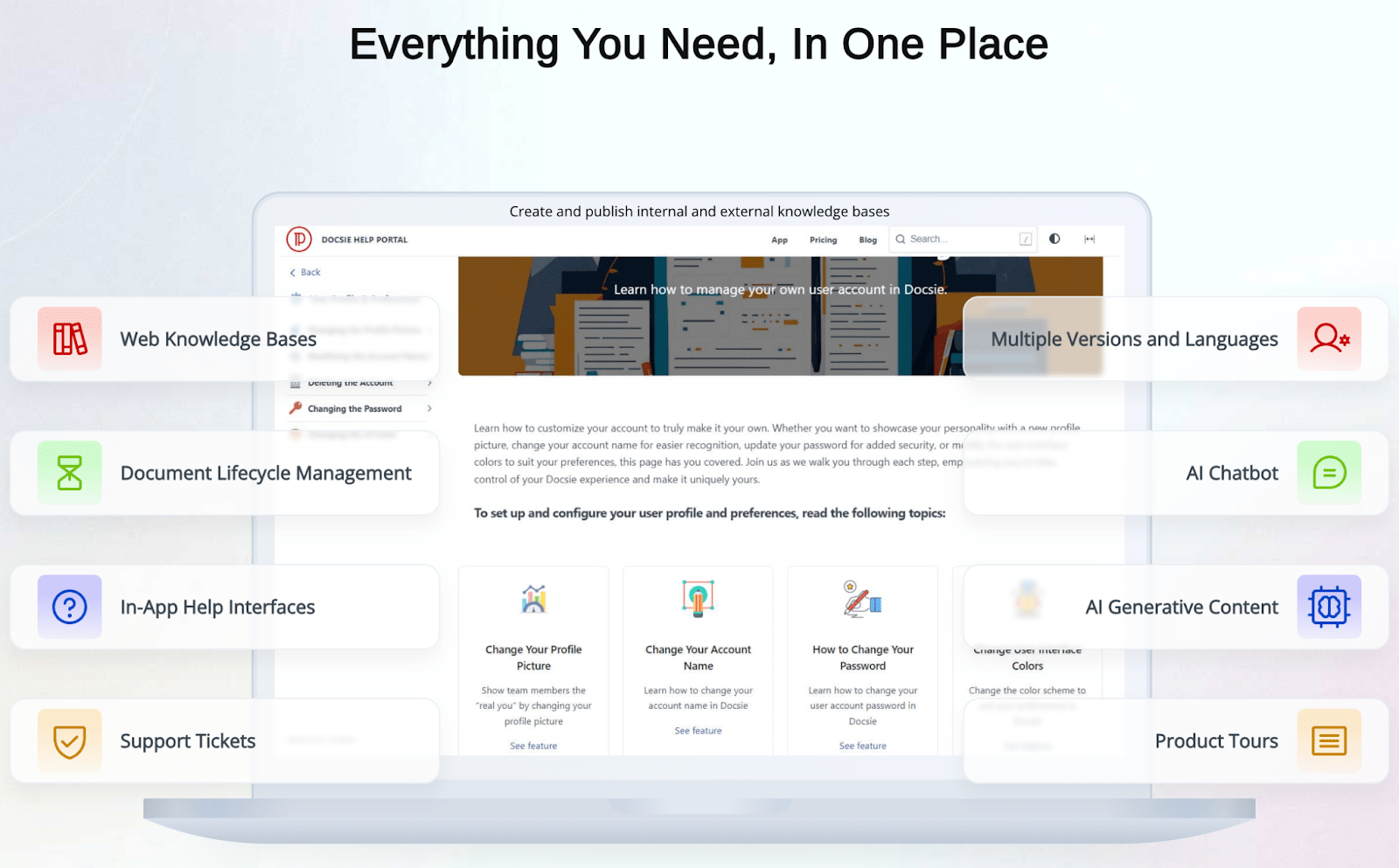
Docsie is a central technical documentation, SOPs, and knowledge-sharing hub.
Powered by AI, it helps organizations manage documentation across multiple versions, languages, and platforms efficiently. Whether for API documentation or user-facing manuals, the platform simplifies complex workflows, offering tools for developers, teams, and businesses.
|
Core Features |
Standout Capabilities |
|
|
Docsie offers flexible monthly and annual plans for different business sizes and requirements.
|
Plan |
Price (Monthly) |
Plan (Annual) |
Features |
|
Standard |
$143/month |
$89/month |
Public knowledge base, 5 team accounts, unlimited content, 2 portals, custom branding, AI search. |
|
Premium |
$341/month |
$170/month |
All Standard features + advanced documentation tools. |
|
Business |
$449/month |
$249/month |
Designed for large organizations, includes custom integrations, security, and priority support. |
|
Enterprise |
Custom |
Custom |
Tailored to enterprise needs with maximum security and full customization. |
Additional Pricing Features - Add-on flexibility allows users to integrate features from higher-tier plans without upgrading entirely.
If you focus on creating, managing, and localizing technical documentation or maintaining a centralized knowledge base, Docsie offers the ideal mix of technical depth and usability.
Its AI-powered tools, real-time collaboration, and multi-language support make it a standout choice for software companies and technical teams.
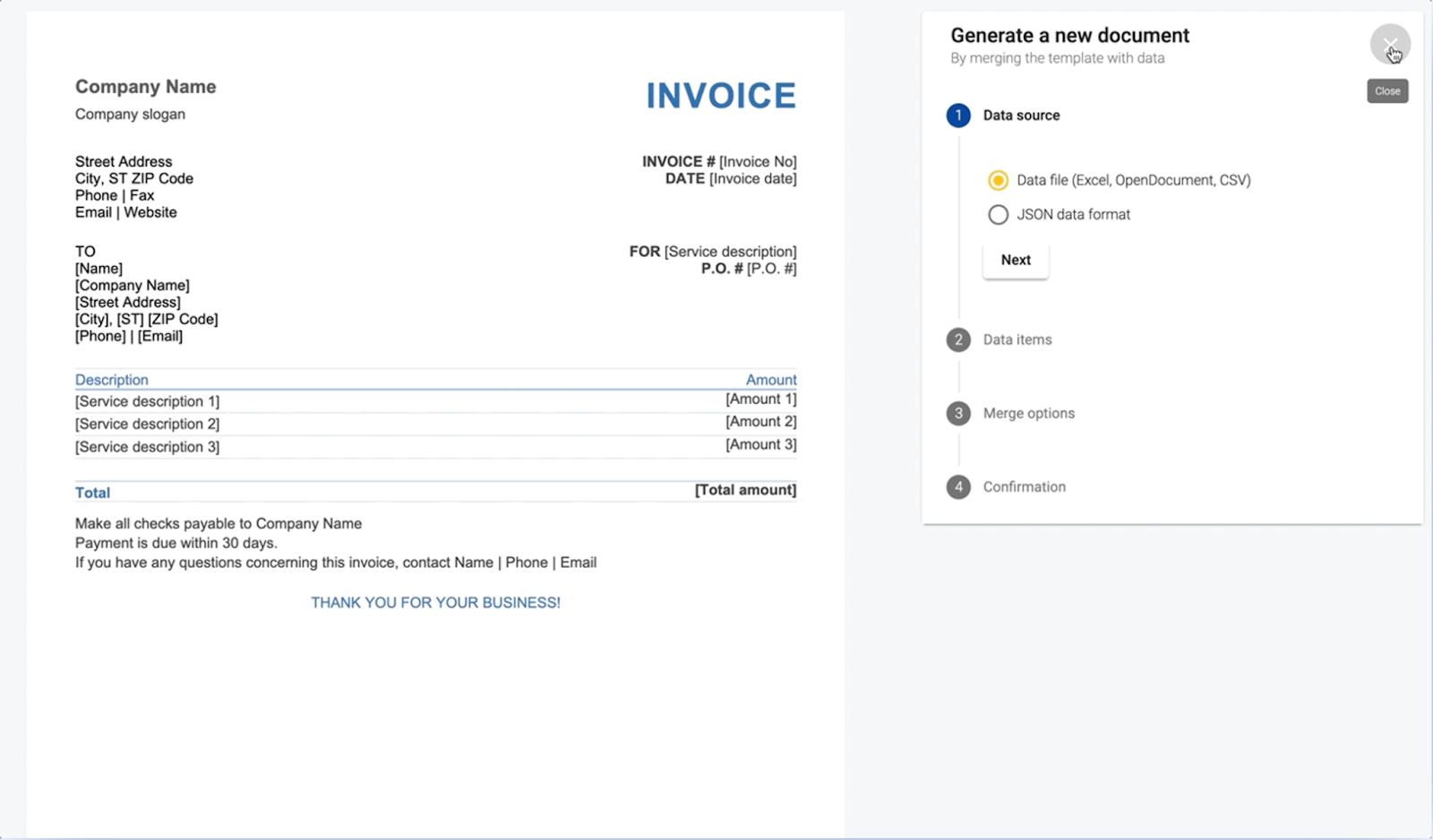
DocuGenerate helps organizations automate and scale their document workflows.
Its API and web app support diverse document types like invoices, contracts, and certificates. It is a versatile platform for developers and teams looking to generate high-quality documents at scale.
|
Core Features |
Standout Capabilities |
|
|
|
Plan |
Price |
Features |
|
Free |
$o/month |
20 docs/month, 2 templates, full API access, no credit card required. |
|
Plus |
$19/month |
500 docs/month, 5 templates, batch document generation, $0.04 per additional document. |
|
Premium |
$39/month |
2,000 docs/month, 20 templates, additional features, priority support. |
|
Business |
$99/month |
10,000 docs/month, 100 templates, dedicated priority support, and advanced features. |
With its developer-friendly API and scalable batch processing, DocuGenerate is the go-to choice for organizations seeking flexibility and efficiency.
Whether you’re generating 20 documents or 10,000, the platform’s integration capabilities and intuitive design make document automation easy to use and cost-effective.
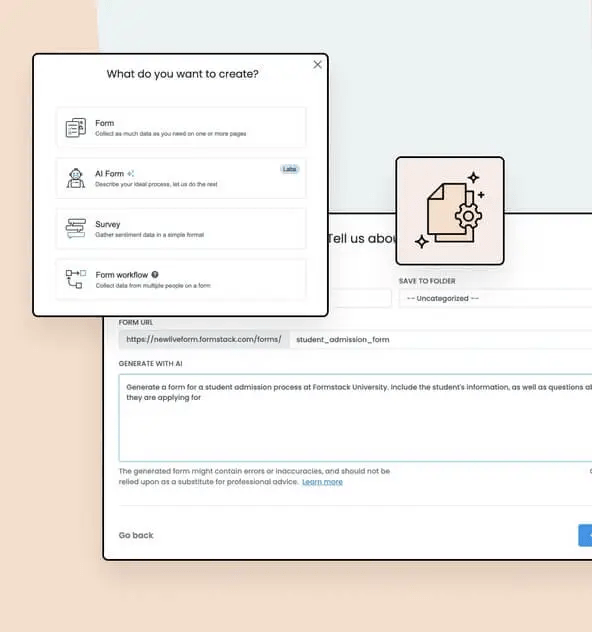
Formstack empowers organizations to sort data collection, document creation, and workflow automation needs.
Known for its ease of use and solid integrations, it simplifies how teams manage and transform data into actionable insights, making it a go-to solution for businesses across industries.
|
Core Features |
Standout Capabilities |
|
|
Formstack has three main offerings- Forms, Salesforce Solutions, and Document Generation, their respective sub-plans and monthly and annual pricing options.
|
Category |
Plan |
Pricing (Monthly) |
Pricing (Annually) |
Key Features |
|
Forms |
Starter |
$99 |
$83 |
1 builder user, 25 forms, 1,000 submissions per form. |
|
|
Pro |
$249 |
$209 |
5 builder users, unlimited forms, increased storage, and additional integrations. |
|
|
Enterprise |
Custom |
Custom |
Advanced security, dedicated support, custom implementation. |
|
Salesforce Solutions |
Native Essentials |
Custom |
Custom |
Collect and manage data within Salesforce with native integration. |
|
|
Native Professional |
Custom |
Custom |
Enhanced security, support for Salesforce Shield, and encrypted fields. |
|
|
Documents for Salesforce |
Custom |
Custom |
Streamlined document generation directly in Salesforce. |
|
|
Combined Suite |
Custom |
Custom |
Full integration of Forms and Document Solutions in Salesforce. |
|
Document Generation |
Starter |
$99 |
$83 |
Unlimited documents, API access, and document automation. |
|
|
Pro |
$299 |
$250 |
Advanced workflow automation and increased user support. |
|
|
Enterprise |
Custom |
Custom |
Comprehensive features, advanced security, and dedicated support. |
Additional pricing features:
If you’re a team in healthcare, education, or finance looking for a simple yet powerful way to streamline processes and turn data into action, Formstack is a trusted choice with its no-code platform and wide range of integrations.
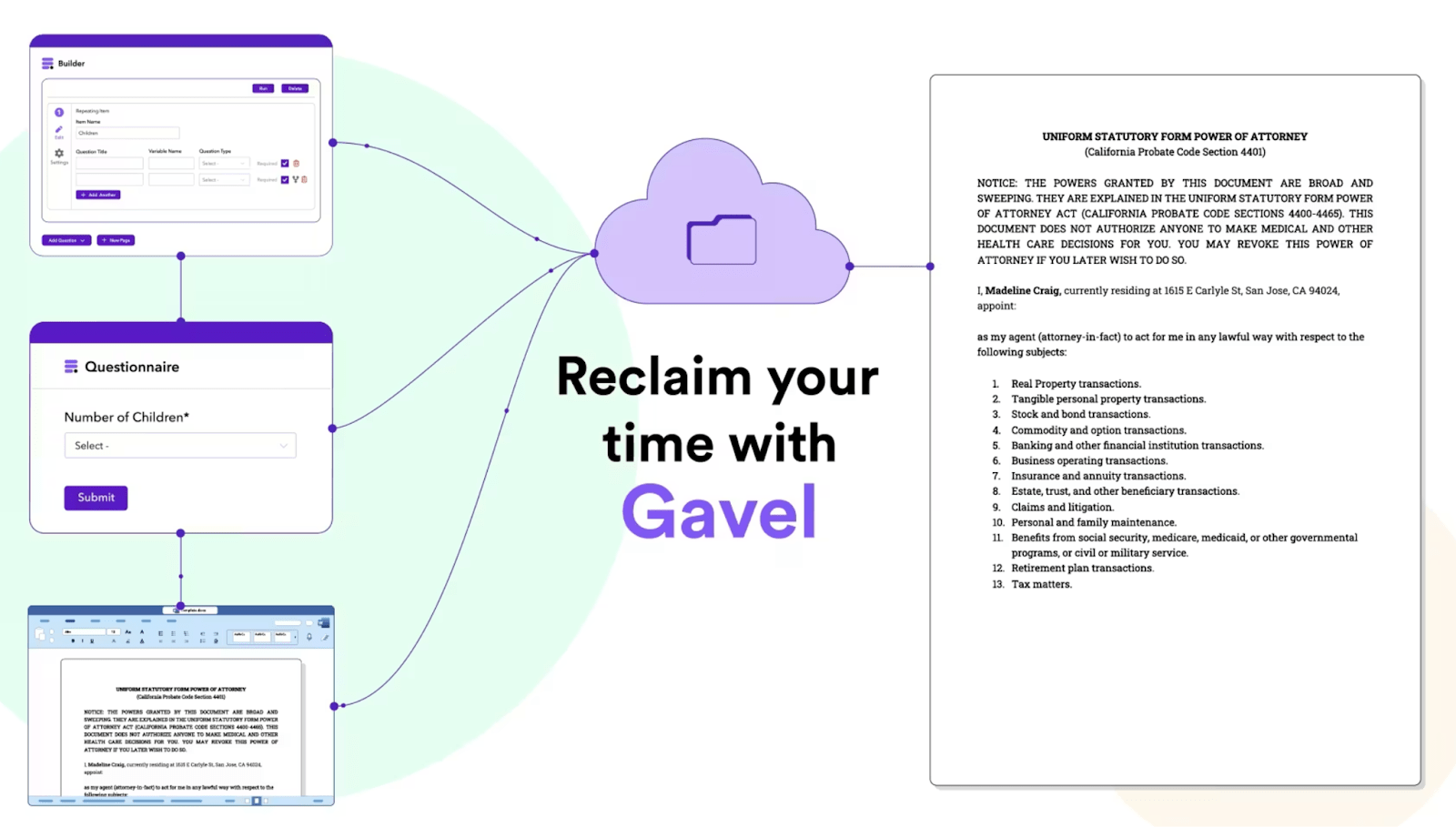
Gavel is a purpose-built platform for legal professionals to simplify document automation, streamline workflows, and enhance client experiences.
By combining legal expertise with powerful tools, Gavel transforms how attorneys and law firms manage their practice areas.
|
Core Features |
Standout Capabilities |
|
|
|
Plan |
Monthly Price |
Annual Price |
Features |
|
Lite |
$99/month |
$83/month |
Basic Word and PDF automation, 1 Builder Seat, 10 Document Templates, Clio Managed Integration. |
|
Standard |
$250/month |
$210/month |
Generate documents from reusable client-facing forms, Word and PDF automation, and additional integrations. |
|
Pro |
$350/month |
$290/month |
No-setup automated legal forms, commerce tools, and enhanced automation features. |
|
Scale |
$417/month |
Billed annually |
All features, API access, custom limits, and per-seat pricing. |
If you’re a legal professional seeking to improvise your workflows, Gavel offers an interesting combination of legal expertise and powerful automation.
Designed by legal professionals, it helps you save time, improve accuracy, and efficiently deliver branded legal services to clients.
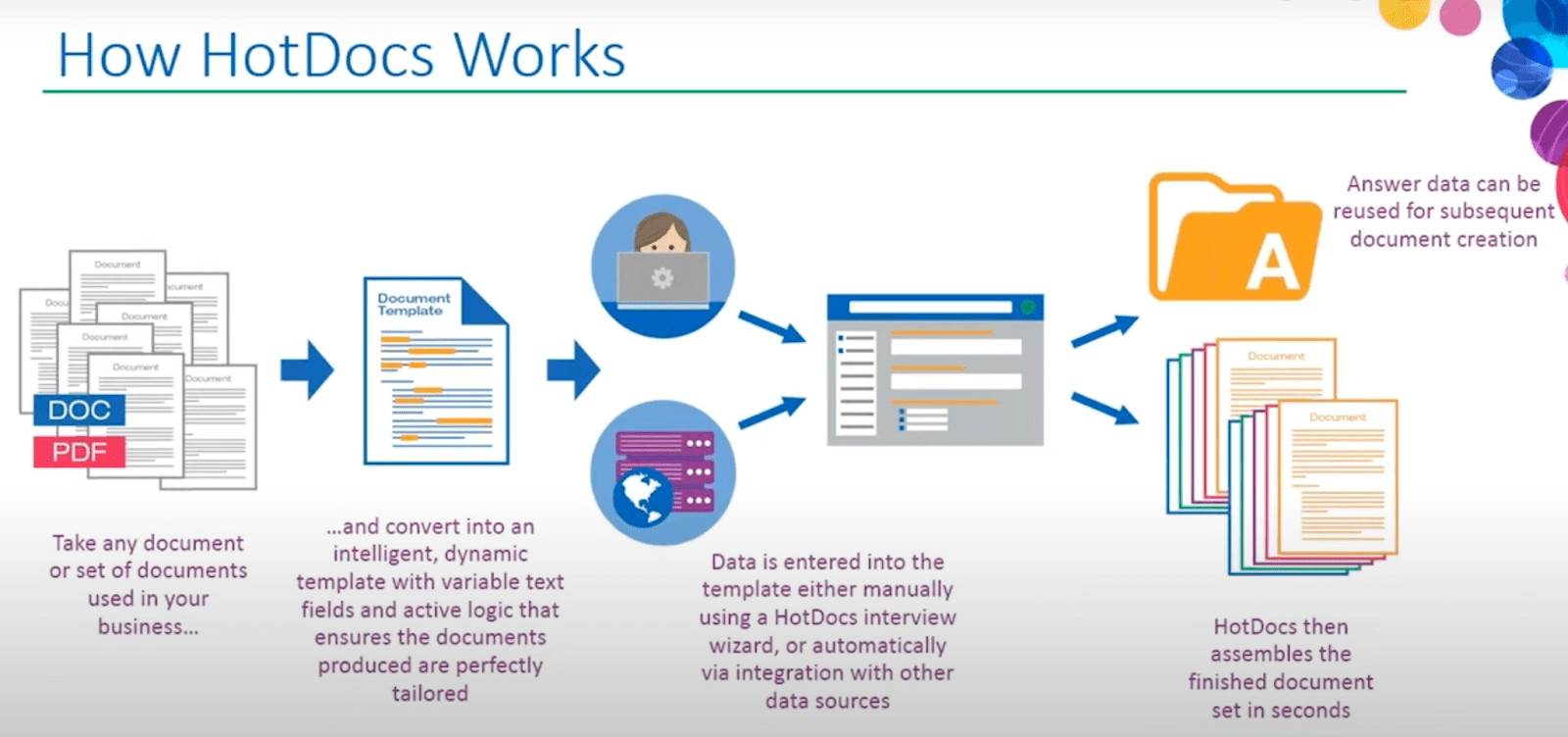
HotDocs is a document automation platform tailored to meet the needs of industries requiring complex documentation, including legal, banking, insurance, government, and publishing.
Its advanced features simplify intricate document workflows while ensuring compliance and accuracy.
|
Core Features |
Standout Capabilities |
|
|
HotDocs provides tailored pricing solutions to meet diverse business needs. For specific pricing details, we recommend that you contact their team directly.
If your organization handles large-scale, intricate document processes, HotDocs can help you build workflows while maintaining compliance and reducing risk.
In the introduction, we covered a quick checklist of features to remember while evaluating solutions.
Understanding those in this detailed document automation software comparison will help you identify the platform that aligns with your business goals.
A template management system should empower users to create, update, and manage templates without requiring extensive technical skills.
Key features include:
Your document generation tool should connect smoothly with the tools you already use.
Integrations are necessary to pull data from your CRM or update files in your ERP.
Look for:
The software must deliver high-quality documents in various formats while maintaining design and content integrity.
Look for features like:
For businesses generating high volumes of documents, batch processing capabilities are non-negotiable.
The platform should offer:
Given the sensitive nature of many documents, enterprise-grade security features are a must.
A solid security framework includes:
Beyond document creation, automation should cover the entire lifecycle- from creation to approvals and storage.
Look for tools that allow:
Collaboration features ensure your team works together effectively without losing document quality control.
Important tools include:
The platform should provide insights into document usage and performance to help optimize workflows and identify bottlenecks.
Analytics should cover:
Implementing document automation software doesn’t have to be overwhelming.
With careful planning and a structured approach, your team can systematically implement and ensure successful adoption and maximum return on investment.
Start by understanding your current document workflows and pain points.
Here’s what to do:
Once you know your requirements, evaluate solutions to find the best fit.
Consider factors like:
Create a detailed project plan outlining all deployment aspects to guide the implementation process.
Include:
With planning complete, proceed with the technical implementation in a structured manner.
Remember, the goal is to plan our implementation with only the most focused steps.
Thorough testing ensures the system meets all requirements and functions reliably.
During this phase, focus on:
The success of your document automation implementation largely depends on user adoption. Provide role-specific training to ensure your team is comfortable with the new system.
Cover:
The final phase focuses on transitioning to live operation with a clear go-live plan.
Develop a detailed go-live plan that includes:
Once you've implemented your document automation software, calculating ROI helps you assess your investment's true value and impact.
Investing in document automation isn’t just about saving time; it requires balancing both quantitative and qualitative factors to understand the value your business gets from its processes.
Here’s how to measure ROI effectively:
Document generation software costs extend beyond the initial purchase price, so you need to factor in all costs to understand the true investment.
TCO = Initial Costs + Implementation Costs + (Ongoing Costs × Years of Use)
Automation significantly reduces manual effort.
To calculate:
Annual Labor Savings = Hours Saved per Document × Documents per Year × Hourly Wage
Reducing errors can save your business money and improve your reputation.
Error Savings = Cost per Error × Current Error Rate × Reduction Percentage
While more complex to measure directly, business impact significantly affects overall ROI.
Consider benefits like:
Professional, timely documents improve customer satisfaction and loyalty.
Ensure:
Evaluate your current processes, document complexity, and integration needs. Match the software’s features to your growth plans and the team’s technical abilities.
Basic setups take 2-4 weeks, while complex deployments involving multiple templates and integrations may extend to 3-6 months.
Focus on:
Choose a platform that supports your tech stack and scales as needed.
End-to-end encryption, role-based access control, audit logging, and compliance with industry regulations like HIPAA or GDPR.
Yes, modern platforms handle:
These features cater to enterprise-level complexities.
Regular updates to templates, user access reviews, and performance monitoring. Vendors often provide support for patching and optimizing your system.
Expect to:
Remember, results compound as your team becomes proficient.