
In today's fast-paced enterprise environment, manual document creation is a major bottleneck, leading to errors, compliance risks, and wasted resources. The solution lies in automation. Document assembly tools are transforming how organizations generate complex, data-driven documents-from contracts and reports to proposals and policies. These platforms move beyond simple templates, integrating with core business systems to pull real-time data, apply complex logic, and produce perfectly formatted documents in seconds.
This guide provides an in-depth analysis of the top 12 document assembly tools for 2026. We cut through the marketing noise to deliver a resource focused on enterprise-grade features, real-world use cases, and honest limitations.
EDocGen stands out as a powerful, enterprise-grade platform engineered for complex, data-driven document automation without requiring deep technical expertise. It shines in environments demanding high-volume generation of diverse document types from various data sources, including APIs, JSON, and databases. Its no-code, self-service interface empowers business users, not just developers, to build and manage sophisticated templates.
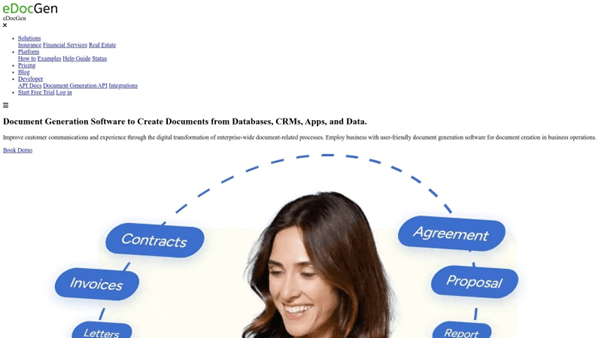
This platform excels at transforming complex business logic into automated document workflows. For industries like finance, insurance, and legal, this means the accelerated creation of contracts, policies, and compliance reports with guaranteed accuracy. EDocGen's architecture supports both on-premises and cloud deployment, offering the enterprise-level security and scalability necessary for sensitive operations.
HotDocs is a powerful and long-standing player in the document automation space, often considered an industry standard, particularly within the legal and financial sectors. It excels at transforming complex, rules-based documents into dynamic templates. Users can create interactive interviews that guide end-users through a series of questions, ensuring all necessary data is captured accurately before generating a perfectly formatted, customized document.
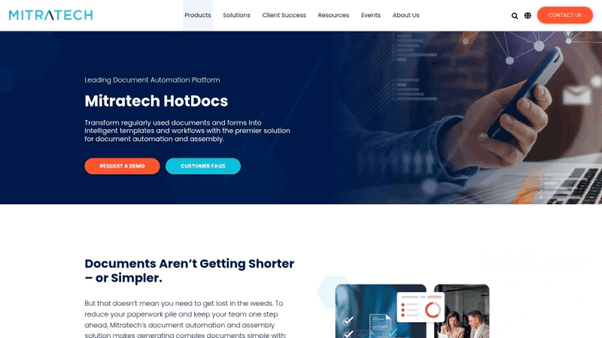
What truly sets HotDocs apart is its robust capability for handling intricate conditional logic and complex calculations directly within the document templates. This makes it one of the premier document assembly tools for generating sophisticated contracts, loan applications, and compliance reports where variables are numerous and interdependent.
While its power is a significant advantage, it comes with a steeper learning curve, especially for non-technical users creating templates from scratch. The interface is more utilitarian than modern, focusing on function over form.
TheFormTool offers a distinct approach by integrating directly into Microsoft Word as a powerful add-in. This design choice makes it exceptionally accessible for professionals who live and breathe in Word, eliminating the need to learn an entirely new software platform. It empowers users to automate the creation of routine documents by turning their existing forms and templates into intelligent, reusable assets right within their familiar word processing environment.
What makes TheFormTool stand out is its commitment to simplicity and security. Since it operates locally on a user's machine without requiring an internet connection, it provides a high level of data privacy, a critical feature for handling sensitive client information.
TheFormTool's primary strength is its user-friendly nature. Because it's an extension of Word, the learning curve is significantly lower than that of standalone platforms. The interface is intuitive for anyone already proficient with Microsoft Office.
Templafy operates less as a standalone document creation engine and more as an integrated content enablement platform that lives directly within the applications employees use daily. It excels at ensuring brand and legal compliance across an entire organization by centralizing access to company-approved templates, text elements, and brand assets. Instead of starting from scratch, users pull pre-approved, dynamic content directly into their documents, presentations, or emails.
What makes Templafy a unique entry among document assembly tools is its deep integration with Microsoft 365 and Google Workspace. It acts as a smart layer on top of these suites, guiding users to create compliant, on-brand, and error-free documents without leaving their familiar workflow. This focus on seamless integration makes it particularly effective for large enterprises aiming to govern content creation at scale, ensuring every document generated aligns with corporate standards.
Templafy is praised for its user-friendly interface that feels native to the host application, significantly lowering the adoption barrier for employees. The platform is cloud-based, simplifying deployment and updates.
Formstack Documents specializes in automating document generation from start to finish. It allows users to merge data from various sources into professionally designed templates, creating everything from proposals and invoices to contracts and welcome letters. The platform is built around a user-friendly, drag-and-drop builder that simplifies the creation of dynamic documents.
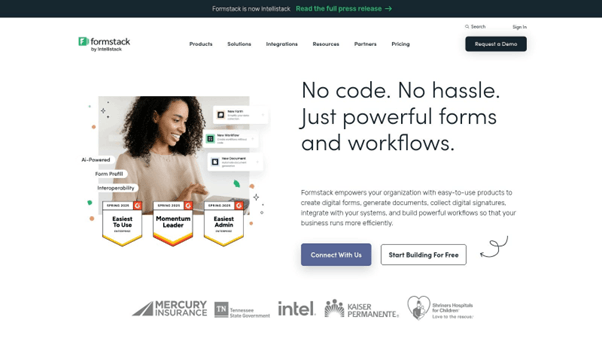
What makes Formstack Documents a standout choice among document assembly tools is its extensive integration ecosystem, boasting connections to over 150 applications, including Salesforce, Stripe, and Zapier. This allows for seamless data flow and end-to-end automation, from data capture in a form to final document delivery and e-signature. This powerful automation makes it a versatile solution for businesses looking to streamline their paperwork. To see how it compares to other platforms, you can find a breakdown of the best document automation software here .
The platform is widely praised for its intuitive interface, which makes it accessible even for users without technical expertise. Setting up templates and integrations is straightforward, significantly reducing implementation time compared to more complex systems.
Gavel, formerly known as Documate, is a no-code platform specifically designed to empower legal professionals to build sophisticated document automation workflows. It enables lawyers to transform their templates and expertise into client-facing web applications. This approach allows firms to serve more clients by having them complete intelligent, guided questionnaires online, which then instantly generate complex, customized legal documents.
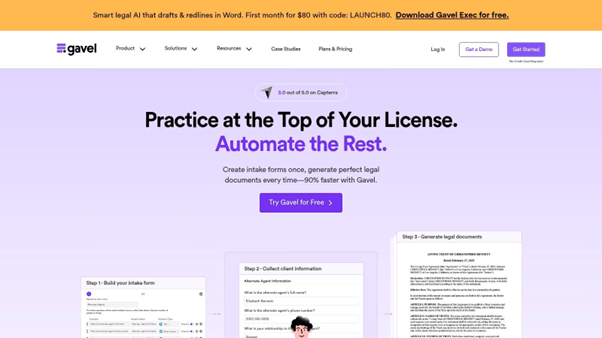
What makes Gavel a standout among document assembly tools is its focus on creating marketable legal products. Beyond internal efficiency, it equips users to build expert systems that can be offered directly to clients, creating new revenue streams. The platform supports complex nested logic, calculations, and data collection, all while being accessible on any device, making it a powerful tool for modernizing legal service delivery.
Gavel is praised for its user-friendly interface that balances ease of use with powerful automation capabilities, making it accessible even for those without a technical background. The learning curve is significantly gentler than some enterprise-focused competitors.
LEAP Legal Software offers a comprehensive, all-in-one practice management solution where document assembly is a core, integrated component rather than a standalone feature. Designed specifically for law firms, it streamlines the entire workflow by combining client and matter management with powerful document creation capabilities. Users can automatically populate firm-approved forms and legal documents with data directly from the client's matter file, eliminating redundant data entry and reducing human error.

What makes LEAP a unique entry among document assembly tools is its holistic approach. Instead of just assembling documents, it manages the entire case lifecycle, from client intake to billing. This tight integration ensures that every generated document is perfectly contextualized and stored within the correct matter, providing a single source of truth. The platform includes a vast, regularly updated library of automated legal forms and precedents, which is a significant advantage for practices across various legal disciplines.
LEAP is cloud-based, offering excellent accessibility and removing the need for on-premise servers. Its interface is modern and geared towards legal professionals, making it intuitive for its target audience. However, because it's a full practice management system, it's a more significant commitment than a simple document tool.
ContractExpress, a Thomson Reuters product, is an enterprise-grade document automation system tailored specifically for the legal industry and corporate legal departments. It excels at transforming frequently used legal agreements into intelligent, self-service templates. Users can generate complex, compliant contracts by answering a dynamic questionnaire, which ensures all necessary clauses and data points are included based on the user's specific inputs.
What distinguishes ContractExpress is its deep integration within the legal tech ecosystem and its robust clause library management. This feature allows legal teams to maintain a single source of truth for approved contract language, significantly reducing risks and ensuring consistency across the organization.
The platform is designed for power and scale, which can introduce a learning curve during initial template creation, particularly when authoring complex logic in Microsoft Word.
· Pros: Backed by a major, reputable company; strong focus on legal compliance and clause management; streamlines the entire contract lifecycle.
· Cons: Pricing is not publicly available and requires a sales consultation; may be overly complex for simpler document automation needs.
OnlyOffice presents a unique proposition by offering a full-fledged open-source productivity suite that incorporates powerful collaborative editing with document assembly features. It functions as a versatile alternative to traditional office software but with the added benefits of self-hosting options, robust APIs, and real-time co-authoring, making it a strong choice for teams that need to build and manage documents within a controlled, integrated environment.

What makes OnlyOffice a noteworthy entry is its focus on providing a familiar, high-fidelity online editor experience for text documents, spreadsheets, and presentations. This allows teams to create templates using an interface they already understand. When integrated with other business systems via its API, it can act as one of the most flexible document assembly tools for businesses looking to automate document creation while maintaining a high degree of control over their software stack and data security.
The platform shines in its cross-platform compatibility and straightforward user interface, which mirrors popular desktop office suites, reducing the learning curve for end-users. Its open-source nature provides unparalleled flexibility for customization and integration.
CobbleStone Software provides a comprehensive contract lifecycle management (CLM) platform where document assembly is a core, integrated component. It is engineered to centralize and automate legal contract creation, significantly enhancing compliance and reducing manual errors throughout the contracting process. The system allows users to generate documents from pre-approved templates populated with rule-based clauses and dynamic data fields.
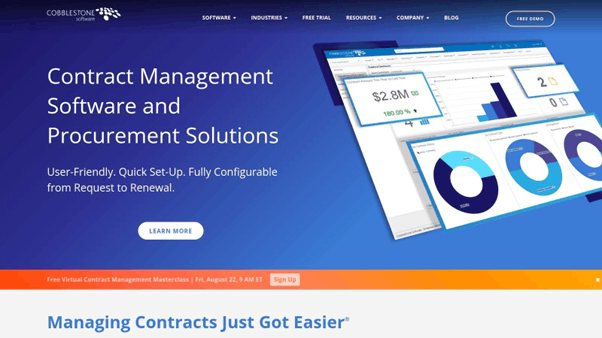
What distinguishes CobbleStone is its focus on the entire contract journey, not just document creation. This makes it one of the most effective document assembly tools for organizations needing robust governance. Features like automated approval routing, detailed audit trails, and native electronic signature support ensure that every document is not only assembled correctly but also managed compliantly from draft to execution and renewal. Its integration capabilities with tools like MS Word and Google Drive further streamline the workflow for legal and procurement teams.
The platform is powerful but designed with enterprise needs in mind, which may mean it's more extensive than what a small business requires. The user experience is geared toward structured processes and control.
PerfectLaw stands out by integrating document assembly directly into a comprehensive, all-in-one legal practice management suite. It is designed specifically for law firms, enabling them to merge existing case information directly into standard legal forms or custom-built templates with a single click. This deep integration means users don't have to manage separate databases or perform cumbersome data exports.
The platform's primary strength lies in its ecosystem approach. By connecting document creation to case management, time tracking, and billing, it creates a unified workflow that reduces administrative overhead. This makes it one of the more holistic document assembly tools for legal practices seeking to streamline their entire operational process, not just document creation. The automatic saving and profiling of every generated document back into the correct case file ensures a complete and error-free record.
As a full practice management system, implementation is more involved than a standalone tool, requiring data migration and team training. The interface is tailored for legal professionals, prioritizing function and data density over modern aesthetics.
JurisDOC is a highly specialized document assembly tool designed explicitly for solo practitioners and small law firms. Its primary strength lies in providing a vast, pre-built library of state-specific legal forms and documents, covering areas like estate planning, business formation, and real estate. This focus allows lawyers to rapidly generate routine legal paperwork without building templates from scratch. The platform uses a straightforward, interview-style process to collect client data and populate the selected forms accurately.
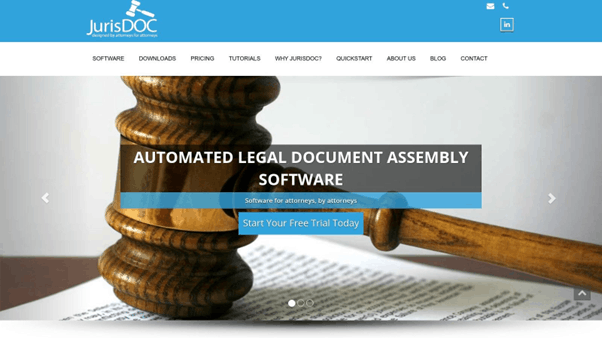
What makes JurisDOC stand out for its target audience is its combination of affordability and immediate utility. Unlike enterprise-level document assembly tools that require extensive setup, JurisDOC offers a plug-and-play solution that significantly reduces drafting time for common legal matters.
The platform is praised for its simplicity and ease of use, making it ideal for legal professionals who are not tech-savvy. Implementation is essentially non-existent; users subscribe and gain immediate access to the form library.
|
Platform |
Core Features |
User Experience & Quality |
Value Proposition |
Target Audience |
Price Points / Notes |
|
EDocGen |
No-code template design, multi-format outputs (Word, PPT, Excel, PDF, forms), bulk & multi-lingual support, API integration |
Easy automation without developers, centralized template repo, advanced logic |
Streamlines complex workflows, enterprise-grade security, rapid ROI |
Enterprises across banking, insurance, real estate, HR, life sciences |
Pricing upon request; enterprise focus |
|
HotDocs |
Advanced conditional logic, data validation, complex calculations |
Highly customizable, robust integrations |
Trusted in legal, financial, government sectors |
Legal and financial professionals |
Generally higher pricing; contact needed |
|
TheFormTool |
Embedded in MS Word, 120+ features, offline use |
User-friendly, affordable, offline security |
Simple document assembly within Word |
Windows users, small to mid-sized law firms |
Affordable pricing; Windows only |
|
Templafy |
Pre-built templates, cloud access, MS 365 & Google Workspace integration |
Brand compliance, productivity boost, real-time collaboration |
Ensures brand standards, enterprise-ready |
Large organizations, enterprises |
Pricing on request; enterprise geared |
|
Formstack Documents |
Drag-and-drop builder, conditional logic, 150+ app integrations |
User-friendly, automated delivery/storage |
Flexible integrations, automated workflows |
Small to medium businesses, general use |
Pricing varies; some setups extra |
|
Gavel |
Client intake forms, web-based, multi-format output |
Easy-to-use, powerful automation, client collaboration |
Focus on legal document automation |
Legal professionals |
Pricing on request; legal focus |
|
LEAP Legal Software |
Matter types, client database, billing tools |
All-in-one management, cloud access, support |
Complete legal practice management |
Law firms |
Generally higher cost; legal focus |
|
ContractExpress |
Questionnaire-driven, clause management, MS Word integration |
Streamlines contracts, compliant documents |
Trusted document automation by Thomson Reuters |
Legal professionals |
Pricing on request; enterprise focus |
|
OnlyOffice |
Online editors, real-time collaboration, cloud storage integration |
Free, cross-platform, active community |
Open-source productivity with assembly |
Broad users needing collaboration |
Free/open-source; may lack advanced features |
|
CobbleStone Software |
Rule-based clauses, approval routing, MS Word & Google Drive integration |
Compliance-focused, e-signature support |
Streamlines contract drafting, security |
Legal, contract management |
Pricing on request; enterprise focus |
|
PerfectLaw |
Case data merge, auto saving/profiling, various formats |
Time-saving, error reduction, integrated data |
Complete legal document workflow |
Legal professionals |
Pricing on request; legal focus |
|
JurisDOC |
Large legal form library, customization, user-friendly |
Saves prep time, affordable, positive reviews |
Focused on legal document assembly |
Lawyers |
Affordable; legal sector only |
Selecting the right document assembly tool is not just an IT decision; it's a strategic move that fundamentally reshapes how your enterprise manages information, risk, and growth. As we have explored, the landscape of document automation platforms is vast and varied. Solutions range from industry-specific legal powerhouses like LEAP Legal Software and PerfectLaw to versatile, cross-departmental engines like EDocGen and Formstack Documents. The key to navigating this market is to move beyond generic feature lists and anchor your evaluation in your organization's unique operational realities.
Your journey should begin with a thorough internal audit. Start by mapping out your current document workflows and identifying the most significant bottlenecks. This process will help you define the specific problems you need to solve, which is the most critical step in choosing the right tool. By understanding your pain points, you can move from a vague desire for "efficiency" to a clear set of requirements for your ideal platform.
To translate your needs into a concrete evaluation framework, focus on these core pillars. A clear understanding of these factors will help you compare diverse options, from the robust template logic of HotDocs to the Salesforce-centric integration of CobbleStone Software.
Ultimately, implementing one of these powerful document assembly tools is about creating a more agile, responsive, and compliant organization. It's about empowering your teams to focus on high-value work instead of manual data entry and repetitive formatting. The goal is to build a scalable system that reduces human error, ensures brand consistency, and shortens sales and contract cycles.
This strategic shift can have a profound impact on competitive processes, such as proposal generation. To truly leverage document assembly tools, it's essential to adopt a strategic approach. Discover how to transition from chance to a process for systematically winning tenders, a key outcome of effective document automation. By choosing the platform that best aligns with your core objectives, you are not just buying software; you are investing in a more intelligent and efficient future for your enterprise.
Ready to see how a truly flexible, API-first platform can transform your enterprise document workflows? EDocGen empowers businesses across all industries to automate any document from any data source, without limitations. Discover the power of our no-code template builder and robust integrations by starting your personalized demo of today.