
A DIY, no-code way to turn your existing Word and PDF contract templates into a repeatable generation system — for teams that want automation without adopting a full contract lifecycle management (CLM) platform.
Contract generation is the automated creation of agreements — SOWs, MSAs, NDAs, vendor and customer contracts — by merging data into pre-approved templates, instead of drafting or copy-pasting each one by hand. It covers the step between "we know what the contract should say" and "the finished, correctly formatted document exists," which is exactly the step that eats the most time in manual workflows.
Manual drafting has three recurring failure modes: it's slow at volume, it's error-prone (wrong clause, stale figures, mismatched party names), and it depends on template governance that's hard to enforce once templates are copied across teams. A contract generation tool removes the copy-paste step and guarantees every output comes from the current, approved template version.
Most well-known "contract generation" tools today — Ironclad, Icertis, ContractPodAi, DocuSign CLM — are full lifecycle platforms: authoring, negotiation, redlining, approval routing, obligation tracking, and e-signature, bundled together. That's the right fit if you're standing up a legal-ops function.
EDocGen solves a narrower, more common problem: you already have contract templates in Word or PDF, and you need them to generate correct, populated documents at scale — without a legal-ops rollout, IT project, or per-seat CLM pricing. Business teams (sales, HR, procurement) upload the templates they already use, and EDocGen turns them into forms, data-driven batch jobs, or API-driven generation — no clause library migration, no workflow redesign required to get started.
If your bottleneck is "creating the document," EDocGen is built for that specifically. If your bottleneck is "the document exists but negotiation and approval chaos," a CLM platform addresses more of that surface — and EDocGen can still sit underneath it as the generation engine
|
Manual (Word/copy-paste) |
EDocGen |
Full CLM (Ironclad, Icertis, etc.) |
|
|
Setup effort |
None |
Upload existing templates, no IT project |
Weeks–months, legal-ops rollout |
|
Uses templates you already have |
Yes, but no automation |
Yes — Word/PDF as-is |
Usually requires migrating into their template system |
|
Batch generation from data (Excel/JSON/DB) |
No |
Yes |
Varies, often limited |
|
Negotiation, redlining, approval workflows |
Manual/email |
Basic routing + e-sign integration |
Core strength |
|
Best for |
Very low volume |
Teams automating document creation without a CLM rollout |
Legal teams managing full contract lifecycle |
Most 2026-era contract platforms now layer AI onto the generation step: suggesting clause language, flagging risky terms, or drafting from a natural-language prompt. EDocGen's approach is deliberately narrower and more predictable — you define the logic (conditions, calculations, clause selection) explicitly inside the template, so the same input always produces the same, auditable output. That's a trade-off: less "draft this from scratch" flexibility, more guaranteed consistency for regulated or high-volume use cases where an unpredictable AI-generated clause is a liability, not a convenience. EDocGen also exposes contract data and templates through a documented API and MCP server, so teams building their own AI agents for contract workflows can call generation as a reliable, deterministic step rather than relying on a model to draft legal text from scratch each time.
EDocGen is a DIY document generation platform for business users to create documents from existing contract templates — for low-volume, ad hoc contracts or high-volume batch runs. The template engine supports:
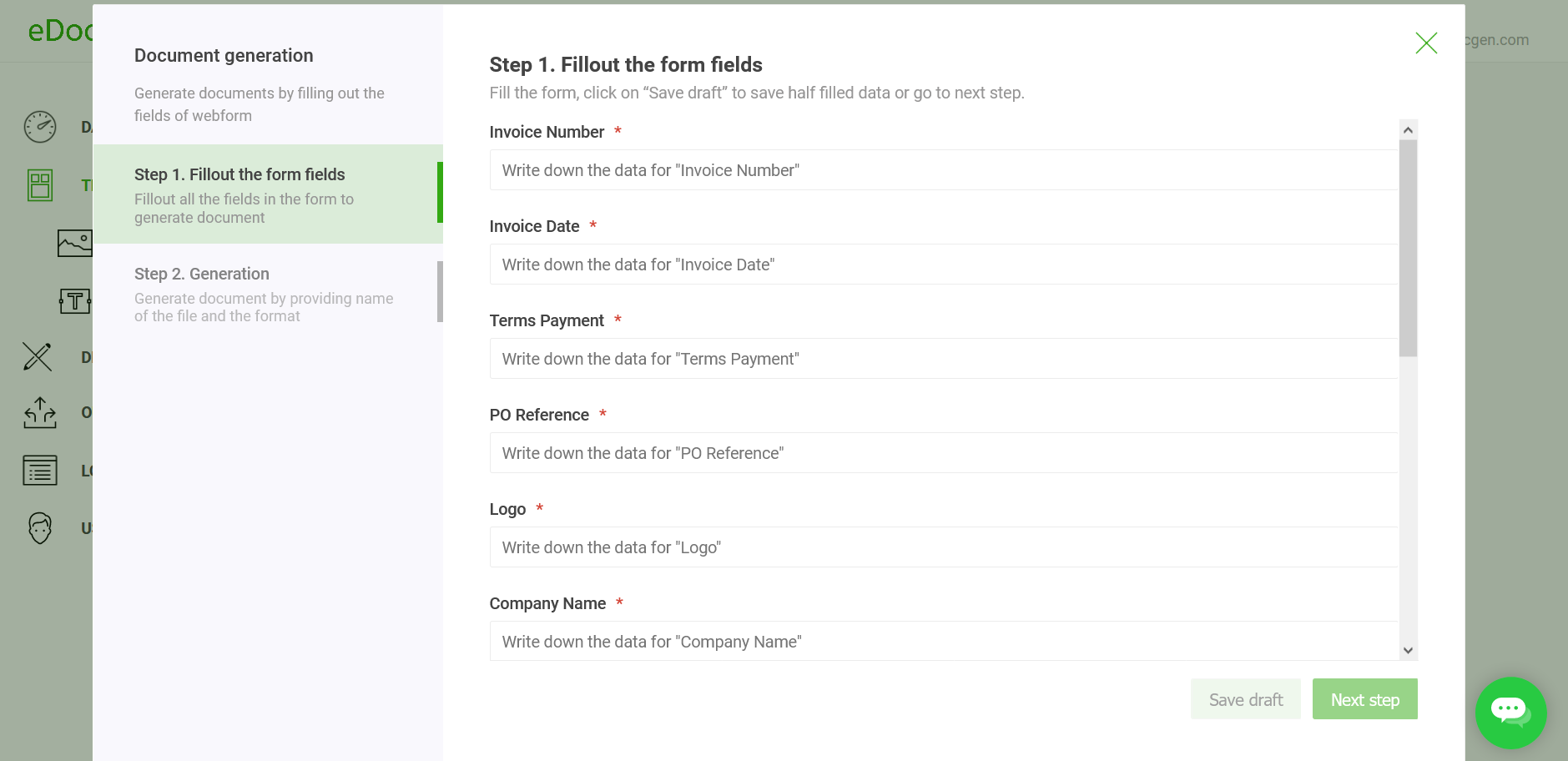
EDocGen auto-generates browser-based, interview-style forms directly from your templates. Users answer a grouped set of questions once; the system fills every matching occurrence of that field across the document. Fields are validated as they're entered, partial submissions save as drafts, and forms can be shared externally so customers or vendors complete their own sections — cutting contract creation time by roughly 80–90% compared with manual filling.
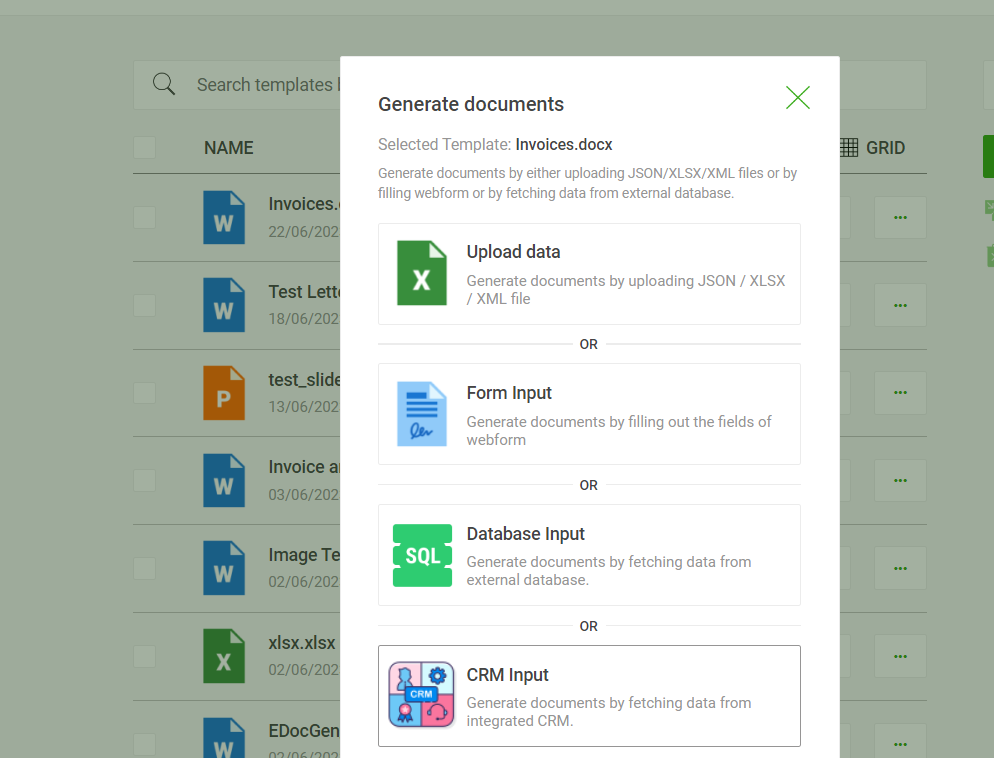
For batch generation, EDocGen populates templates directly from Excel , JSON , or XML files, or straight from MySQL , SQL Server, or Oracle. With Excel, related rows map to a single generated contract — a many-to-one mail merge. Upload a spreadsheet with ninety vendors' worth of line-item rows, and EDocGen groups each vendor's rows into one contract, correctly populated and named from that vendor's data — ninety contracts in one run. Column headers map directly to the template's merge fields, so no separate data-mapping step is needed before generation. Generated contracts then route automatically to email, print, or e-signature based on the data provided, with no manual dispatch step.
EDocGen's content blocks function as a lightweight clause library. A clause is stored once — in the system, at a URL, or as a database BLOB — and referenced in any template with a tag such as {>company_info} . Update the clause once, and every template referencing it picks up the change on its next generation run, with no template edits required. Clauses can also be included conditionally, which is how a single master template generates correctly-worded region-specific contracts.
Unlike a static clause library, an EDocGen content block can itself contain dynamic sub-template tags — text, tables, and images populated from the same data file used for the rest of the contract. So a standard-terms clause can carry a live pricing table or a signature image, not just fixed boilerplate.
EDocGen is API-first, so enterprise systems can trigger generation directly and plug it into existing approval workflows via the contract generation API .
Problem: Sales teams collect customer information over weeks, then need a contract fast once a deal is ready to close.
Solution: Reps fill an EDocGen form as data comes in, saving partial progress as a draft. Once complete, they generate the contract — or share a secure link so the customer fills remaining fields and e-signs directly.
Problem: A single deal requires multiple related contracts (e.g., a master agreement plus region-specific addenda).
Solution: EDocGen populates the same dataset into multiple templates in one run, applying if-else logic and clause rules per document — no re-entering shared data across documents.
No. EDocGen focuses on the generation step — turning templates and data into finished contracts. It integrates with e-signature and storage tools rather than replacing a full CLM's negotiation and lifecycle-tracking features.
Yes. EDocGen works with your existing templates as-is; you don't need to rebuild them in a proprietary format before generating documents.
Yes — batch generation is supported from Excel, JSON, and XML files, as well as direct connections to MySQL, SQL Server, and Oracle. For Excel, related rows are merged into a single contract (a many-to-one mail merge), so a spreadsheet with many vendors' worth of line-item rows produces one correctly populated contract per vendor.
Yes, via content blocks. Clauses are stored once and referenced by tag in any template; updating a clause updates every template that references it on its next generation run. Content blocks can also include their own dynamic text, tables, and images, and can be included conditionally.
EDocGen's generation logic is rule-based and defined explicitly in the template (conditions, calculations, clause selection), which keeps output deterministic and auditable. It doesn't freeform-draft clauses with generative AI, and it can be called as a reliable step from AI agents built elsewhere via its API/MCP server.
Teams using EDocGen's fillable-form workflow typically report 80–90% less time spent on contract creation compared with manually filling templates field by field.