
Help Docs
Approval Document Workflow
Step 1: Configure Email Delivery
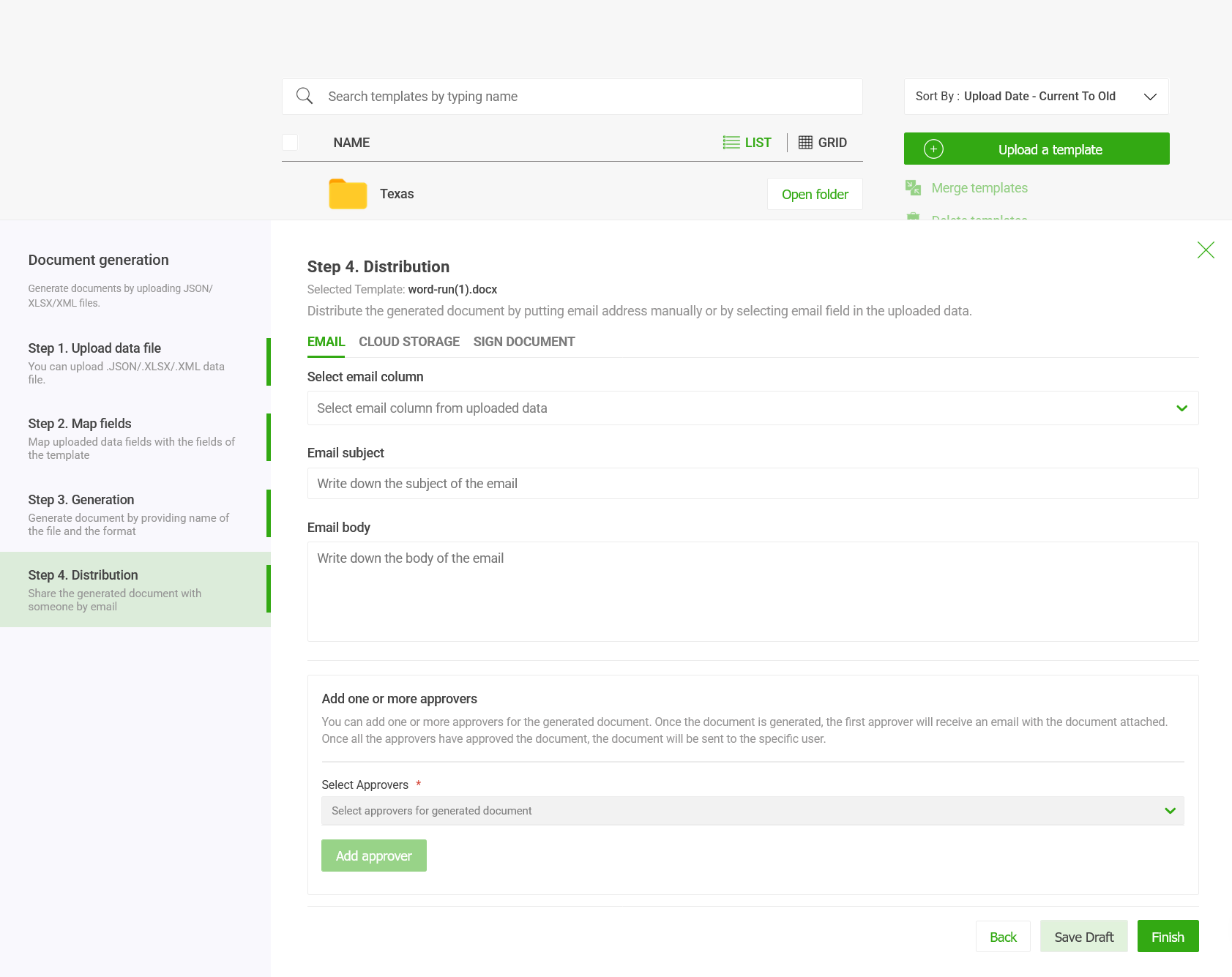
In the Email tab of the Distribution screen, you define how the final document is sent to your recipients.
-
Select Email Column: Choose the specific column from your uploaded data (JSON, XLSX, or XML) that contains the recipient's email addresses.
-
Email Subject & Body: Draft a personalized message. You can write a static subject line and body that will accompany the generated document attachment.
Step 2: Add an Approval Workflow
Before a document is officially "distributed" to the final recipient, you may need internal stakeholders to review it. Edocgen supports a sequential approval process.
-
Locate the "Add one or more approvers" section: This is found at the bottom of the Distribution panel.
-
Select Approvers: Use the dropdown menu to select the team members who need to review the document.
-
Sequential Review: Once the document is generated, the first approver in your list will receive an email with the document attached.
They can approve the documents from EDocGen.
-
Final Delivery: The document will only be sent to the specific user (defined in Step 1) after all designated approvers have given their green light.